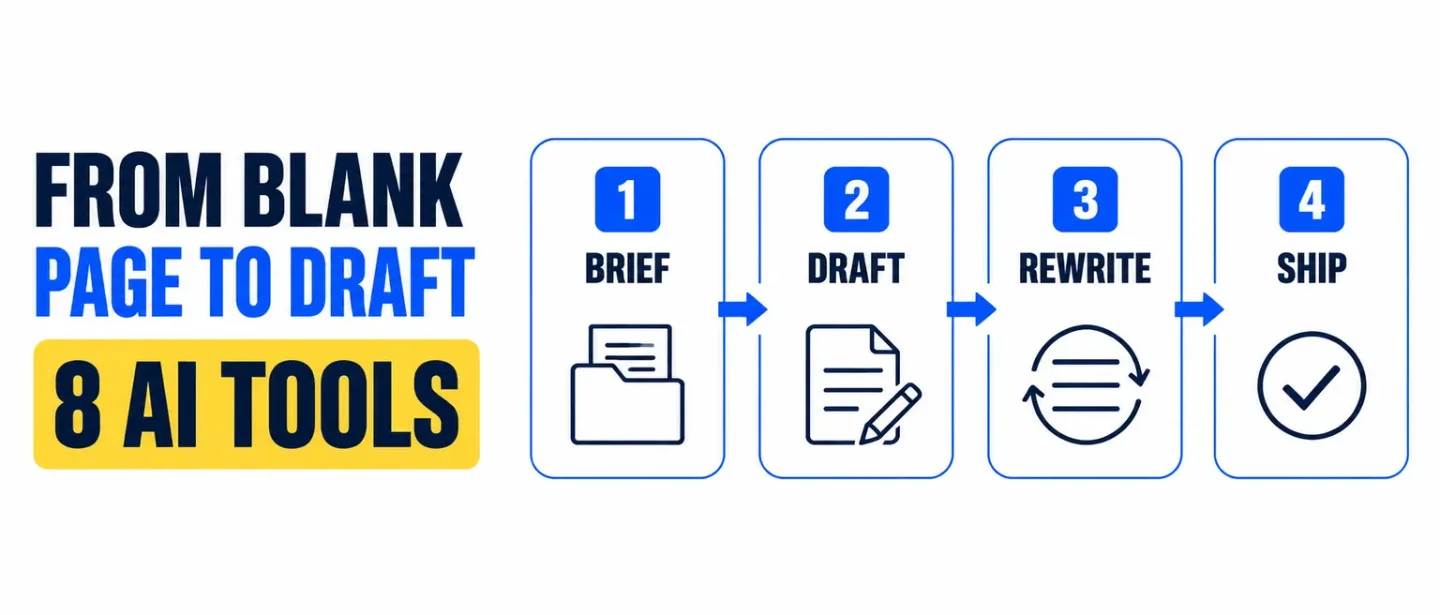
The AI writing stack: 8 tools from blank page to publish-ready draft
A practical eight-tool workflow for moving from a thin brief to a publish-ready draft, with clear jobs, trade-offs, and human checks.

The blank page is rarely the real bottleneck. The time leak is the stretch after it: a thin brief, a draft with no argument, a rewrite that chases tone, and a final pass that still misses the claim check.
A useful AI writing workflow keeps those jobs separate. Ground the brief first, draft second, then choose a tool that matches where the document lives and who has to approve it.
This stack covers eight tools across that path. Use one or two as a starting point; the goal is a publish-ready draft, not eight new subscriptions.
Pick the lane before you pick the tool
- Source-heavy work: Claude Projects gives the draft a knowledge base and project instructions before the first paragraph.
- Long-form drafting: Lex keeps AI feedback inside a writing room built for iteration.
- Campaign and marketing output: Jasper turns briefs into channel-ready copy with brand controls.
- Enterprise brand rules: Writer encodes voice profiles so many people can ship on-brand text.
- Documents already in Docs or Word: Gemini in Docs or Copilot in Word keeps the edit where reviewers already work.
- Line-level polish: Wordtune rewrites sentences; Grammarly catches clarity, tone, and mistakes across apps.
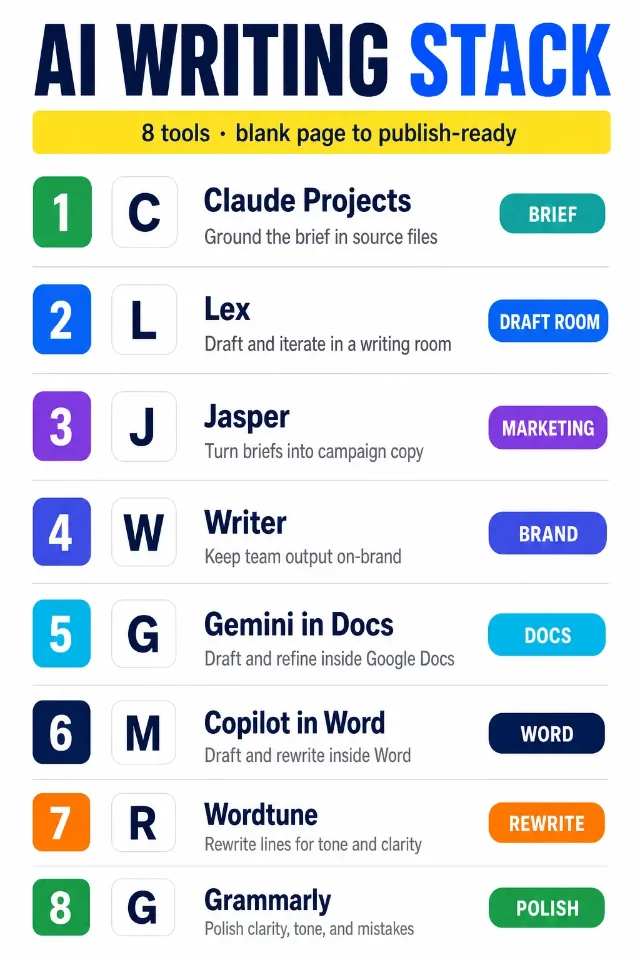
Self-made cheat-sheet graphic for this issue; it maps each tool to one job in the writing workflow rather than ranking the products.
The 8-tool stack
- Claude Projects — [BRIEF]
Use it for: building a self-contained workspace before you draft. Anthropic says Projects let you upload documents into a knowledge base, keep separate chat histories, and set project instructions that shape tone, role, or industry context. Paid plans can expand large knowledge bases with retrieval. 1
Why it earns a slot: it solves the cold start. Style guides, source PDFs, interview notes, and past examples sit with the chat, so the first outline already has boundaries. Ask for the audience, decision, claims that need proof, and a short outline before you open a blank document.
Watch-out: a loaded knowledge base can still leave out the one source that matters. Name the files Claude should treat as authoritative, and keep original quotes next to any claim you plan to publish.
- Lex — [DRAFT ROOM]
Use it for: drafting and revising inside an AI-native word processor. Lex describes collaborative documents with AI feedback, rewrite help, title ideas, versions, comments, and live collaboration. Its feature set also includes knowledge bases and style guides so the assistant can keep persistent background context. 2
Why it earns a slot: the draft stays in one place while you ask for structure, cuts, and alternate phrasings. Use it when the work is a memo, essay, newsletter, or long brief that needs many passes rather than a one-shot generation.
Watch-out: a smooth rewrite can hide a missing point of view. Decide the argument and the evidence before you ask Lex to polish the prose.
- Jasper — [MARKETING]
Use it for: turning a brief into marketing assets. Jasper positions itself for copywriting inside a document editor, with templates, rephrase and rewrite tools, brand voice, style guides, and team sharing. Its Brand Voice product is meant to keep tone consistent across channels and flag off-brand drafts. 3
Why it earns a slot: campaign work often needs many formats from one message. Feed Jasper the approved brief, audience, offer, and proof points, then generate the ad, landing section, email, or social set from that shared core.
Watch-out: brand voice is a style constraint, not a fact check. Lock claims, legal lines, and product names before you scale variants across channels.
- Writer — [BRAND]
Use it for: enterprise writing that has to stay on-brand and governed. Writer says teams can upload sample copy to build voice profiles for products, channels, audiences, or asset types, then apply those profiles in apps and rewrite flows. Its Agent product is framed as planning and executing multi-step work with brand context and enterprise controls. 4
Why it earns a slot: when many people write for one brand, the bottleneck is consistency under review. Set the voice once, attach the style rules, and use Writer when compliance, terminology, and shared standards matter as much as speed.
Watch-out: a polished voice profile does not invent missing product truth. Keep the source brief and the approved claims outside the model, then let Writer handle style and structure.
- Gemini in Docs — [DOCS]
Use it for: drafting and refining while the file stays in Google Docs. Google's help docs say Gemini can write and edit from prompts, refine selected text with actions such as rephrase, shorten, elaborate, bulletize, or summarize, pull context from Drive files, Chat, Gmail, and the web, and suggest edits you accept or reject in the document. 5
Why it earns a slot: the handoff is small when the team already reviews in Docs. Use it to turn notes into a first draft, tighten a section, or update a timeline from another Drive file without leaving the shared document.
Watch-out: access depends on an eligible Google Workspace or Google AI plan. Treat suggested edits as proposals; check every number and attribution before you accept all.
- Copilot in Word — [WORD]
Use it for: drafting, rewriting, and summarizing inside Microsoft Word. Microsoft says Copilot can start a draft from a prompt, outline, notes, or referenced file; rewrite selected text; summarize or answer questions about the document; and, when available, draw on related files, email, and meetings. Rewrite offers options you can replace, insert, or regenerate. 6
Why it earns a slot: it fits teams whose final file, template, comments, and delivery already live in Word. Draft in chat, keep the reviewable changes in the original file, and ask for a summary before you send a long document.
Watch-out: Copilot availability depends on Microsoft 365 subscription, Copilot license, and organization settings. In shared files, review suggested changes before they land in the document collaborators can see.
- Wordtune — [REWRITE]
Use it for: sentence- and paragraph-level rewrites after the argument is set. Wordtune says it can paraphrase, switch between casual and formal tones, shorten or expand text, continue writing, proofread, and offer context-based rewrite suggestions. 7
Why it earns a slot: many drafts fail at the line, not the outline. Highlight the sticky sentence, pick a clearer option, and keep the meaning you already verified.
Watch-out: a smoother sentence can still change the claim. Compare the rewrite to the source fact before you accept a bolder or softer version.
- Grammarly — [POLISH]
Use it for: the final quality pass across the apps where you already write. Grammarly says it can generate ideas and outlines from prompts, rewrite for tone and length, proofread grammar and spelling, adjust tone, and work across more than a million apps and sites. Business features include brand tones and style guides. 8
Why it earns a slot: the last mile is often email, docs, chat, and CRM fields, not a dedicated writing app. Use Grammarly after the structure is settled so the reader meets clean, clear language.
Watch-out: generative prompts and brand tones still need a human owner for accuracy. Do not let a confident rewrite invent a deadline, metric, or promise the brief never contained.
How to assemble the stack
- Write the brief before the draft. Capture audience, decision, proof points, banned claims, and deadline in one place. Use Claude Projects when those materials already exist as files.
- Choose the drafting surface. Use Lex for long-form iteration, Jasper for marketing asset sets, Writer when brand governance is the main constraint, Gemini in Docs for Google-first teams, or Copilot in Word for Microsoft-first teams.
- Separate argument from style. Lock the outline and evidence first. Only then open Wordtune or Grammarly for line rewrites and polish.
- Run the human gate. Check every claim against its source, every number against its calculation, every CTA against the real offer, and every brand term against the approved list.
The practical rule: separate brief, draft, brand, and polish. AI can speed each handoff, but it cannot replace the decision about what is true and what is ready to ship.
Practical takeaways
- Start with Claude Projects when the draft must answer from a source pack and a defined voice.
- Start with Lex when the work is long-form and needs many revision passes in one room.
- Choose Jasper for marketing campaigns and Writer when enterprise brand rules are non-negotiable.
- Stay in Gemini in Docs or Copilot in Word when reviewers will not leave the host editor.
- Use Wordtune for sticky sentences and Grammarly for the cross-app final pass.
- Approve the outline and the facts before you polish the prose.
Post-ready caption for LinkedIn/X
Hook
The blank page is rarely the real bottleneck. The stretch after it is: thin brief, untested draft, endless tone tweaks.
Highlights
• Brief: Claude Projects
• Draft room: Lex
• Marketing: Jasper
• Brand governance: Writer
• Native docs: Gemini in Docs or Copilot in Word
• Line polish: Wordtune + Grammarly
• Rule: lock the argument before you polish the prose
CTA
Save this for the next doc that starts as a messy folder of notes. Share it with the teammate who rewrites the same paragraph twelve times. Which step costs your team the most time?
References
- 1Anthropic Help Center — What are projects?
support.claude.com
- 2
- 3Jasper — AI for Copywriting
jasper.ai
- 4Writer — Introducing voice
writer.com
- 5Google Docs Editors Help — Write & edit with Gemini in Docs
support.google.com
- 6Microsoft Support — Welcome to Copilot in Word
support.microsoft.com
- 7Wordtune — Express yourself with confidence
wordtune.com
- 8Grammarly — AI Writing Assistant
grammarly.com
This story was produced automatically by a channel. One sentence is all it takes for Neodrop to keep producing for you.