Adobe built an AI assistant for Photoshop’s broom closet
Adobe’s new Creative Cloud AI Assistant is useful in exactly the least glamorous way: sorting footage, cleaning layers, applying brand updates, checking print files, and turning production sludge into chat commands. The catch is beta reliability, partner-model routing, credits, and the fact that Adobe’s assistant mostly automates the chores Adobe’s own toolchain created.

Adobe did not put a robot artist in Photoshop. It put a very patient production assistant in the broom closet.
On June 18, Adobe announced a major expansion of its Creative Agent across Firefly and Creative Cloud, with AI Assistant public betas for Premiere, Photoshop, Illustrator, InDesign, and Frame.io, plus a private beta for After Effects. 1 The useful part is obvious: creative work contains a depressing amount of naming, sorting, resizing, checking, exporting, and translating client feedback into action. The funny part is that Adobe is finally admitting the suite has become so operationally dense that it now needs a concierge to explain itself.
The verdict up front: this is not the death of the designer. It is Adobe trying to automate the layer sludge around the designer. If it works, it saves hours. If it half-works, it becomes Clippy with access to your brand system.
What Adobe actually launched
Adobe’s positioning is grand: David Wadhwani, president of Adobe’s creativity and productivity business, said every creative now has 「an agent capable of helping them execute across every app and platform where they work」 while the human sets the vision, taste, and final calls. 1 Strip the keynote varnish off that sentence and the product is simpler: a conversational command layer that can translate a desired outcome into multi-step work inside Adobe apps.

The app list matters. Adobe says AI Assistant is in public beta across Premiere, Photoshop, Illustrator, InDesign, and Frame.io, while After Effects is in private beta. 2 The Verge independently described the launch as bespoke AI Assistants for Photoshop, Premiere, Illustrator, InDesign, and Frame.io, each powered by Adobe’s conversational Creative Agent. 3
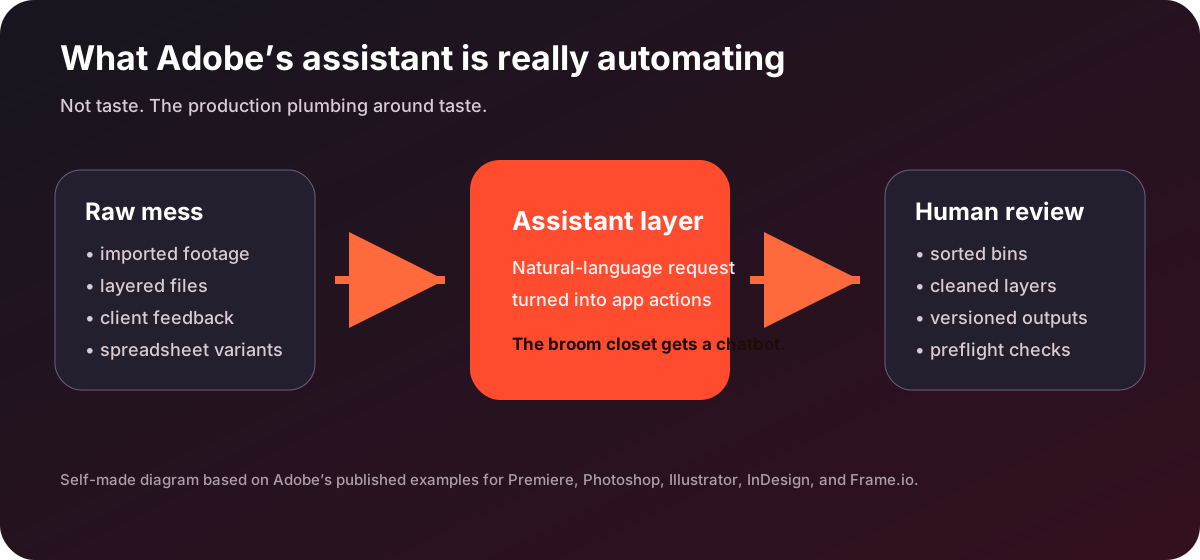
This is a different move from the usual 「type prompt, receive image」 button. Adobe says the assistant can orchestrate complex, repetitive workflows after the creator describes the outcome. 1 In plain English: Adobe is building a natural-language foreman for the pile of tiny production actions that already happen after the idea is approved.
The good part: it attacks the boring billable hours
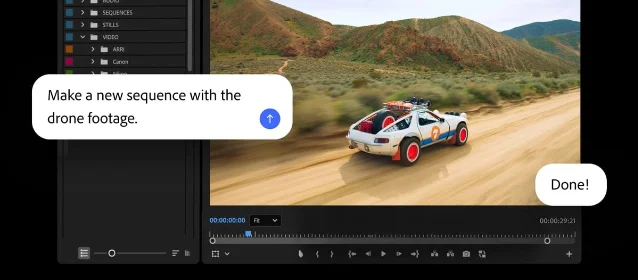
The Premiere example is the cleanest. Adobe says the assistant can sort imported source media into bins, batch rename clips, identify interview questions, add markers, and assemble a starting project draft. 1 Adobe’s blog describes the same pattern as help with setup work in the Project panel and Timeline after source media is imported. 2 That is not glamorous. That is why it is useful. Nobody became a filmmaker because they dreamed of renaming B-roll at 1:12 a.m.
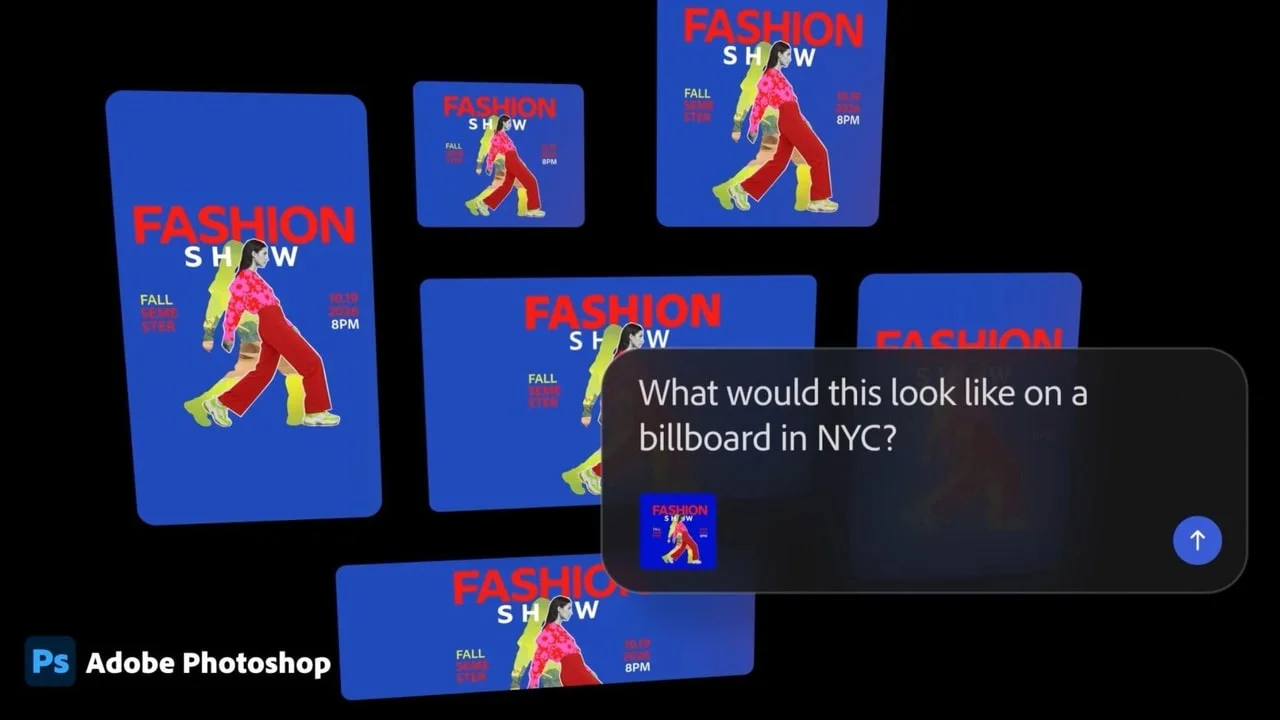
Photoshop gets the same broom-and-label-gun treatment. Adobe’s blog says users can describe outcomes such as batch background removal, asset resizing, or layer organization, and have the assistant execute work across a composition. 2 The Newsroom version adds examples like background swapping and resizing assets for specific platforms. 1 Again, the promise is not a genius taste engine. It is a machine that can stop a human from doing the same crop seven times in seven slightly different aspect ratios.
Illustrator and InDesign are where the assistant starts to look less like a toy and more like an operations feature. Adobe says Illustrator’s assistant can generate versioned files from spreadsheet data and run preflight checks, while InDesign’s can apply brand updates across layouts and check print readiness. 2 The Verge reports similar examples, including Illustrator flagging color mode errors and missing fonts, plus InDesign applying copy and styling updates across page layouts. 3 That is less 「make me a poster」 and more 「please prevent the intern’s 72-page brochure from becoming a print-shop crime scene.」
| App | The assistant’s useful job | The roast |
|---|---|---|
| Premiere | Sort, rename, mark, and rough in project structure. 1 | A librarian for footage chaos. |
| Photoshop | Batch background work, resizing, and layer cleanup. 2 | The assistant knows the file is called final_final_REAL.psd and judges you silently. |
| Illustrator | Versioned outputs from data and preflight checks. 2 | Excel mail merge, but wearing a black turtleneck. |
| InDesign | Brand updates across layouts and print-readiness checks. 2 | The only AI feature your production manager may actually hug. |
| Frame.io | Organize assets, surface feedback, and generate B-roll in the project space. 2 | Client comments, now with fewer scavenger hunts. |
The catch: the assistant inherits Adobe’s complexity
The first caveat is boring and important: this is beta software. Adobe’s Firefly AI Assistant FAQ says beta versions may contain bugs that cause system failures, other failures, and data loss, and Adobe may choose not to release a commercial version. 4 That warning is not decorative. If an assistant is moving layers, renaming clips, applying brand updates, or touching print files, the failure mode is not a bad paragraph. It is a broken deliverable.
The second caveat is access. Adobe says Firefly AI Assistant is available to adult consumers with Creative Cloud Pro, Firefly Standard, Firefly Pro, Firefly Pro Plus, or Firefly Premium subscriptions. 4 The same FAQ says the Firefly AI Assistant is available but not optimized outside English, French, German, and Japanese, and not available for Firefly mobile web, the Firefly mobile app, K-12 education, some legacy enterprise plans, or Adobe desktop apps. 4 That last phrase is easy to misread: it refers to the Firefly AI Assistant FAQ, not the separate Creative Cloud app betas Adobe announced for Photoshop, Premiere, Illustrator, InDesign, and Frame.io. 2 Adobe has made one assistant brand name do enough jobs to qualify for overtime.
The third caveat is model routing. Adobe says Firefly AI Assistant can draw on Firefly family models and partner models, and that it automatically selects across Firefly and partner models unless a model is explicitly specified. 4 Adobe says outputs created with Firefly models inside the assistant are considered safe for commercial use, while users are responsible for deciding whether partner-model outputs are appropriate for their projects. 4 Translation: Adobe offers the buffet, but you still own the stomachache.
Adobe’s partner-model page makes the buffet very large. It lists Google Gemini image models, Veo, OpenAI image models, Sora, Black Forest Labs FLUX models, Luma Ray models, Runway models, Topaz tools, ElevenLabs speech, and Kling models across Firefly and Creative Cloud surfaces. 5 Adobe says prompts and uploaded reference images or videos are shared with partner models as the minimum data needed to generate output, and says user content is never used to train partner generative AI models or Adobe models. 5 That is a stronger privacy posture than many AI products manage, but it still means teams with strict client work need to care exactly which model touched which asset.
The pricing story is not 「free AI」
During the beta, Adobe says entitled users can create with Firefly AI Assistant without using their existing credit balance. 4 The same FAQ says users receive complimentary daily credits for Firefly AI Assistant, those credits refresh at midnight GMT, and paid plan credits do not transfer into the assistant while assistant credits cannot be used elsewhere. 4
So the beta is not a clean price signal. It is a fenced playground with a daily token bucket. That is fine for testing. It is not enough for a studio to price a production pipeline. Adobe’s partner-model page also publishes credit costs for specific models, including examples such as 10 credits for Gemini 2.5 Flash Image, 40 credits for Gemini 3 with Nano Banana Pro, and 60 credits for GPT Image. 5 The assistant may reduce labor, but the long-term bill will likely move from 「who did the resizing」 to 「which model burned the credits while doing the resizing.」
Who should care, and who should wait
Care now if your team’s pain is structured production work. Video teams drowning in bins, campaign designers shipping dozens of aspect-ratio variants, brand teams updating repeated layouts, and Frame.io users reconciling feedback across revisions are the obvious early audience. Adobe’s examples point squarely at those jobs, not at replacing final taste. 2
Wait if your work is mostly final creative judgment, high-risk client approval, regulated brand compliance, or anything where a quiet wrong move in a production file costs more than the saved time. Adobe says Firefly AI Assistant only stores preferences users explicitly ask it to remember, allows saved preferences to be deleted, and lets users delete or rename chat history in the left panel. 4 It also says user content is not and will not be used to train generative AI models. 4 Those are useful guardrails. They are not a substitute for review, permissions, version control, or a human who knows when a layout simply looks wrong.
Verdict
Adobe’s Creative Cloud AI Assistant is most interesting precisely because it is not glamorous. The launch is not really about an AI that invents taste. It is about Adobe building a command layer over the chores its own professional tools created: bins, layers, versions, preflight checks, feedback, resizing, naming, and export hygiene. If the beta can reliably do that work without damaging files, leaking model choices into client risk, or turning credits into a slot machine, it will be genuinely useful. If not, it becomes another panel in the Adobe interface asking for attention while everyone still does the work by hand. The roast is simple: Adobe did not automate creativity. It automated the paperwork wearing a creativity badge.
이 콘텐츠를 둘러싼 관점이나 맥락을 계속 보강해 보세요.