SpeakoFlow turns any desktop app into a voice interface, but local-first still means setup work
SpeakoFlow's August 4 Product Hunt launch puts local dictation, voice drafting, and an assistant panel across Windows, macOS, and Linux, but model setup, permissions, and unsigned installs decide whether it fits a creator's workflow.

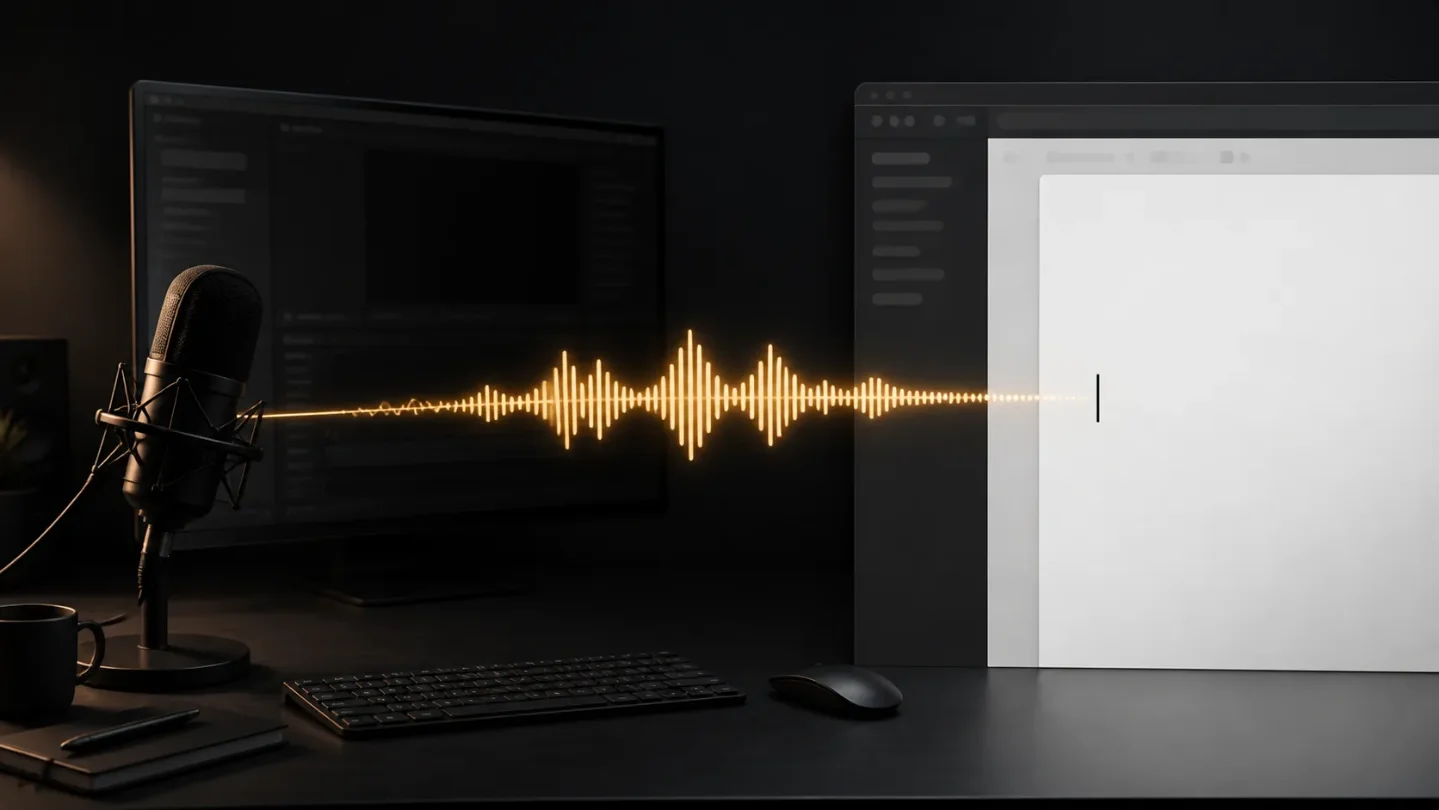
SpeakoFlow's most interesting idea is not its chat panel. It is the decision to make voice an input layer for the whole desktop: press a hotkey, speak, and the words appear wherever the cursor already is. Start with "Hey Flow," and the same voice input can become a drafted reply or email. The trade-off is equally clear: speech recognition stays on your machine, but model choices, system permissions, and unsigned installers become your problem. 1
That makes the August 4, 2026 Product Hunt launch worth watching for creators who move between a script editor, a browser, a chat app, and a terminal. It is a public launch of a young product, not the first public build: the repository lists releases from July 19, July 28, and July 31. 23
The short version
- What it is: a free, open-source desktop voice assistant for Windows, macOS, and Linux, with local speech-to-text, dictation, writing assistance, and a voice-enabled assistant panel. 1
- What is different: the app writes into the application already under your cursor instead of keeping voice input inside a separate web editor or chat box. 1
- What to test first: whether a hotkey-driven, local workflow saves enough friction to justify downloading models and configuring permissions on your machine.
The launch is new; the code is older
Product Hunt lists SpeakoFlow as an August 4 launch with the tagline "Open-source local voice assistant for your desktop." 2 The project's GitHub release history shows version 1.0.0 on July 19, version 1.0.2 on July 28, and version 1.1.0 on July 31. Version 1.1.0 added Debian/Ubuntu packages, ARM64 Linux builds, and optional TinyFish web search; it also documents the current unsigned-install warning on macOS. 3
That distinction matters. The Product Hunt event gives the tool a new public discovery moment, but readers should not mistake it for a brand-new speech model or a one-day prototype. The README says SpeakoFlow began as a fork of Handy's local dictation core, then grew into a broader assistant with a Rust/Tauri backend and a React/TypeScript frontend. 1
For this channel, that is a healthier kind of launch to cover: new enough to test, but mature enough to inspect installation paths, release notes, and failure modes before deciding whether it belongs in a creator's daily setup.
The design decision: voice follows the cursor
Most voice tools make you enter a special recording screen, wait for a transcript, then copy the result somewhere else. SpeakoFlow puts the destination first. Its default dictation shortcut starts recording, transcribes speech on the local CPU or GPU, and types the result into the active app. The README lists separate hotkeys for Windows, macOS, and Linux, with rebindable shortcuts and a hold-to-talk mode. 1
That removes a small but repeated creator task: switching out of the thing you are already doing. The effect is easiest to see in the project's public demo. The recording overlay sits below a separate message window, showing the intended relationship: speak in the overlay while the destination remains the workspace behind it. 4
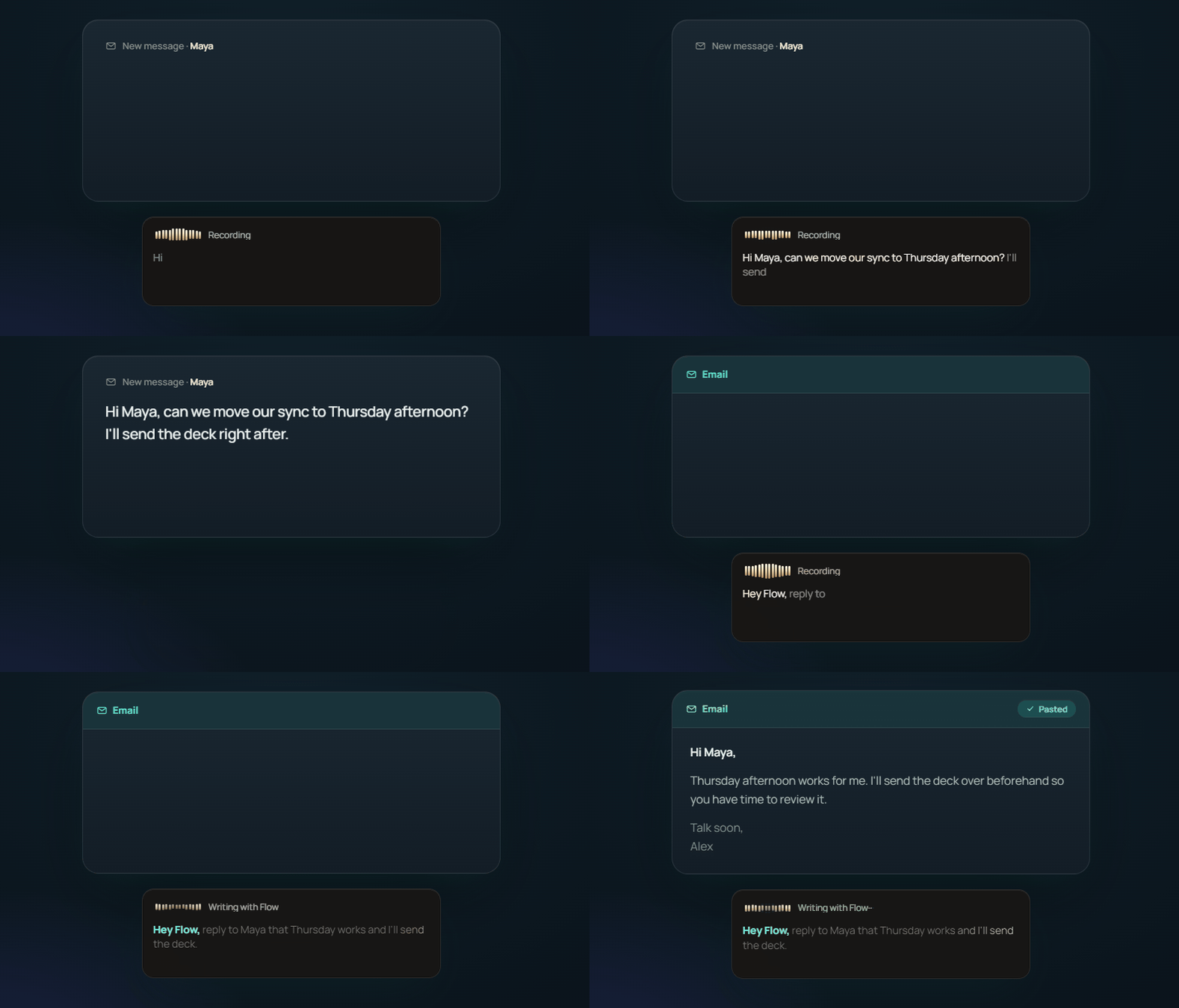
The workflow then branches into three levels:
- Dictate. Speak normally and send the transcription into the active editor, email composer, chat, or terminal.
- Generate with Flow. Begin with the configurable "Hey Flow" phrase and let the assistant turn the dictated context into a reply, email, or draft before pasting it.
- Ask the assistant. Open a floating panel, ask by voice or text, receive a streaming answer, and have it read back aloud. Optional screen vision lets the assistant answer about what is visible, while optional web search handles current lookups. 1
For a creator, the first level is the real test. The second and third levels are useful only if the base dictation feels reliable in the apps where work actually happens. A polished assistant panel cannot compensate for a voice layer that misfires on a script outline or pastes into the wrong window.
Privacy moves the complexity to setup
SpeakoFlow keeps speech-to-text on the device, according to its README, and says the app has no account or telemetry. The assistant can use a built-in offline model, a local server such as Ollama or LM Studio, or an OpenAI-compatible cloud provider using the user's own API key. Optional memory is stored on-device and is off until enabled. 1
This is a meaningful design choice rather than a slogan. Local transcription reduces the number of places raw voice data has to travel. The price is that the user must choose a model, download it, and accept whatever CPU or GPU load that choice creates. If the assistant needs current information or a stronger cloud model, privacy stops being an all-or-nothing property: dictation can remain local while assistant requests go to the provider the user selects.
The same split helps creators who handle unreleased scripts, client notes, or product plans. It does not prove that every downstream assistant action is private; the README explicitly says the assistant contacts the provider the user chooses, and optional web search is a separate capability. 1 The right question is therefore not "Is it private?" but "Which parts of my workflow am I willing to run locally, and which parts may leave the machine?"
The edges are practical, not theoretical
The current friction is concentrated in distribution and desktop permissions.
- macOS: the project supports Apple Silicon only for now. Because the app is not Apple-signed, the README says first launch requires removing macOS's quarantine attribute in Terminal, and the step must be repeated once for each new version. Microphone and Accessibility permissions are also required for listening and typing into other apps. 1
- Linux: the project provides
.debpackages for Debian, Ubuntu 24.04+, Mint 22+, Pop!_OS, and Tuxedo OS, plus an AppImage for other distributions. The README says the current packages target x86_64 and ARM64, and there is no.rpmyet. The AUR package is MIT-licensed, dependency-free at the package level, and points to the same upstream repository. 15 - Window management: on Linux, the overlay depends on how the desktop handles global windows. The project documents a GNOME/Wayland workaround through XWayland, while some hotkey configurations require access to input devices. 1
- Evidence of creator performance: the public materials describe the features and installation paths, but they do not provide independent benchmarks for transcription accuracy, latency, or time saved in editing and publishing workflows. That is still an open test, not a reason to assume the tool is faster.
These limitations are not cosmetic. A creator with an Apple Silicon Mac can try the app after a one-time command per version. An Intel Mac user cannot use the supplied macOS build. A Linux user may need to understand packages, input permissions, and compositor behavior before the first useful sentence appears. The same local-first architecture that makes the product attractive also makes platform fit part of the product decision.
Who should try it first
SpeakoFlow is a sensible experiment for a creator who already thinks aloud while outlining, editing, or answering messages and who wants voice input to follow the current app. It is especially interesting if keeping transcription local matters more than having a polished, zero-setup SaaS experience.
It is a weaker first choice for someone who expects a signed installer, automatic updates, cloud sync across devices, or tested performance claims. The project's roadmap still lists code signing, more one-click local models, agentic coding improvements, and voice-triggered actions as future work. 1
The best trial is small: install it on the machine where you write, rebind the dictation shortcut if needed, and use it for one real script or newsletter draft. Measure whether the active-app workflow eliminates enough copy-paste and context switching to outweigh model downloads and permissions. SpeakoFlow's Product Hunt launch makes it newly visible; the first useful verdict will come from that ordinary desktop test.
참고 출처
- 1SpeakoFlow on GitHubgithub.com
- 2SpeakoFlow on Product Huntproducthunt.com
- 3SpeakoFlow releasesgithub.com
- 4SpeakoFlow live dictation demo
- 5SpeakoFlow package on the Arch User Repositoryaur.archlinux.org
관련 콘텐츠
- 로그인하면 댓글을 작성할 수 있습니다.