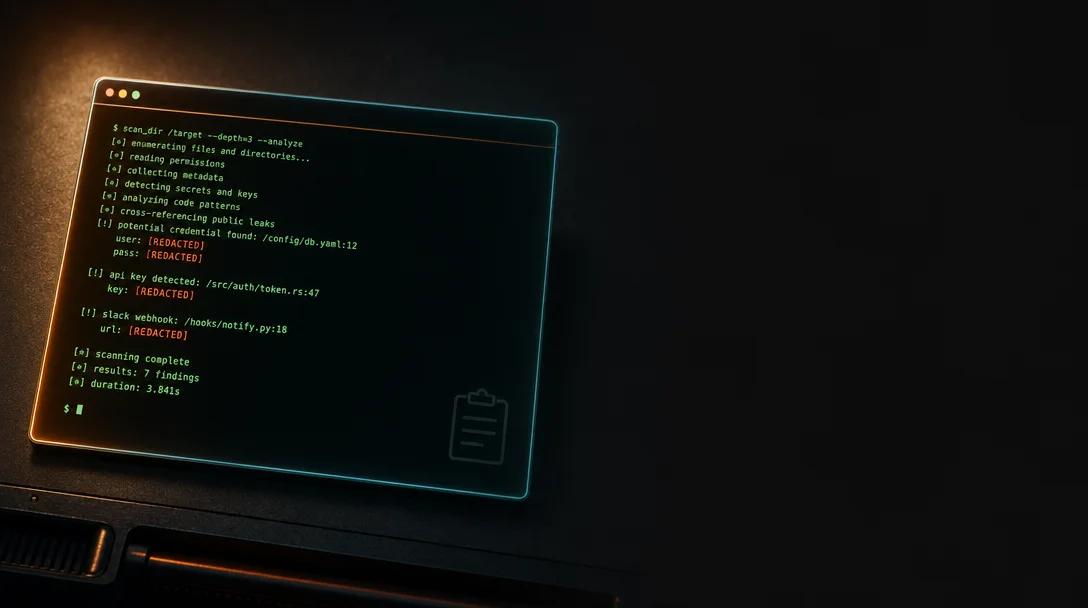
secret-stripper: a Rust CLI that scrubs secrets out of your clipboard before you paste them somewhere you'll regret
secret-stripper is a three-day-old Rust CLI (MIT, v1.0.0, 3★) that intercepts clipboard contents on a global hotkey and replaces anything matching its 875-pattern / 43-category detection engine with [REDACTED] before you paste — catching AWS keys, OAuth tokens, SSH private keys, crypto wallet mnemonics, and more. Linux install is a one-liner; macOS and Windows require skhd or AutoHotkey v2 and take 3–5 minutes. No independent security audit yet — treat it as a useful safety net, not a certified control.
You've done it. Pasted an AWS access key into a Slack DM instead of a terminal. Dropped a
.env value into an AI chat prompt while copying example output. The window was right there, and the clipboard was already primed.Gianluca Iavicoli (kalix127) shipped secret-stripper on May 24 to handle exactly that moment: select text, press a global hotkey, and anything in your clipboard that looks like a secret gets replaced with
[REDACTED] before you paste it anywhere 1. The project is three days old, has 3 GitHub stars, and 18 total downloads on crates.io 2. Bring calibrated expectations — but the underlying idea is sound, the author is responsive, and the pattern coverage is surprisingly broad.콘텐츠 카드를 불러오는 중…
What the detection engine covers
The detection layer has three tiers 3:
Regex patterns — 875 named patterns across 43 categories. The scope is wide: AWS/GCP/Azure keys, OAuth tokens, GitHub/GitLab PATs, Stripe and PayPal secrets, database connection strings, SSH private keys, crypto wallet mnemonics (BIP39), and PII including passport MRZ data, government IDs with Mod-10/Mod-11 check digits, and IBAN numbers validated via mod-97.
Entropy scan — Shannon entropy detection for high-randomness strings that don't match any named pattern. Catches the "looks like a secret but isn't in the database" cases.
Deep scan — heuristics for common secret containers:
.env key-value pairs, base64 blobs, JSON fields named password/secret/token, and SSH key blocks.Three presets let you dial the sensitivity:
Minimal (basic PII only), Balanced (default — PII plus common dev keys), and Full (everything enabled) 1.The Cargo.toml uses
opt-level=z + LTO + codegen-units=1 + strip + panic=abort — the full aggressive binary-size-and-speed profile. No performance benchmarks are published, and this is an unaudited v1.0.0, so treat the pattern coverage as "broad" rather than "proven" 3.Install
Maturity note: no Homebrew formula, no
npm, no pip, no winget package exists yet 1. Your two paths are the one-liner install script or cargo install from crates.io.| Platform | Install | Extra dependency | Estimated time |
|---|---|---|---|
| Linux | curl -fsSL https://secretstripper.download/install.sh | bash | None — uses gsettings / xfconf / kwriteconfig natively | < 1 min |
| Linux (cargo) | cargo install secret-stripper then secret-stripper init | None | ~2 min (compile) |
| macOS | brew install koekeishiya/formulae/skhd then cargo install secret-stripper && secret-stripper init | skhd (or Hammerspoon) + Accessibility permission grant | 3–5 min |
| Windows | winget install AutoHotkey.AutoHotkey then cargo install secret-stripper && secret-stripper init | AutoHotkey v2 | 2–4 min |
Linux is the cleanest path. macOS requires skhd because — as the author notes in the README — "there is no zero-install way to register a true global hotkey on macOS without a resident process" 1. After granting Accessibility permissions, run
skhd --restart-service and the hotkey goes live.The default macOS shortcut is
Cmd+Shift+C. That conflicts with Chrome DevTools and Finder's "Copy Path" — the author acknowledges this and recommends Cmd+Option+X or Cmd+Ctrl+X as safer defaults 1. Change it before muscle memory bites you.A concrete scenario
You're reviewing a pull request and copying a test fixture from the diff — the fixture contains a placeholder JWT that looks real enough to trigger pattern matching. Your workflow becomes:
# 1. Copy the block from your code review tool
# 2. Press hotkey (Cmd+Option+X on macOS, configured shortcut on Linux/Windows)
# 3. Paste into terminal — any JWT-shaped string is now [REDACTED]
More practically: you're debugging an issue and someone asks you to share a
docker-compose.yml snippet in Slack. You copy the file, run the redaction hotkey, paste — all POSTGRES_PASSWORD and REDIS_URL values come through as [REDACTED]. You didn't have to remember to scrub manually.The redaction is clipboard-in / clipboard-out. It doesn't alter the source file, doesn't send anything remotely, and doesn't persist state. The binary runs entirely offline 1.
![secret-stripper terminal demo — text selected, hotkey pressed, clipboard content shown with secrets replaced by [REDACTED]](https://storage.neodrop.ai/grains/media/aYi6JetP8zx86sXgqf9cD.gif?w=640)
What to know before you rely on it
It's three days old with 3 stars. 1 The community signal is near-zero: r/commandline picked up 5 upvotes and one genuine comment from u/gumnos (who shared an existing
xsel | sed clipboard-scrubbing script they'd been running for years — meaning the problem is real and DIY-solvable, but demand for a packaged tool is unproven) 4. The r/rust cross-post landed at 0 net votes with 44% upvote rate 5.No independent security audit. The 875 patterns haven't been reviewed by anyone other than the author. The entropy scanner will have false positives (your random test data gets redacted) and the named patterns will have gaps (any API provider that rotated key format in the last few months probably isn't covered yet). Use Balanced preset for daily use and Full only when you know you're handling diverse secrets.
The author responds fast. When r/rust users criticized the Makefile in the first 24 hours, kalix127 pushed a
build: replace makefile with justfile commit (a8c58e8) the same day 6. That's a good sign for a project this young.One AI disclosure note. The r/commandline post includes "(Partially polish with AI)" at the end; this line is absent from the r/rust cross-post 4 5. No community reaction to the discrepancy — the project is too new to have built strong expectations either way.
콘텐츠 카드를 불러오는 중…
Bottom line: if you're on Linux, the install is a one-liner and the risk of trying it is zero. If you're on macOS or Windows, the skhd/AutoHotkey setup adds 3–5 minutes and a persistent background process — decide whether that overhead suits your setup. The detection coverage is genuinely wide for a v1.0.0; just don't treat it as a security control until it's seen more external review.
Cover image: AI-generated illustration
이 콘텐츠를 둘러싼 관점이나 맥락을 계속 보강해 보세요.