Auto-triage feature requests with Notion AI Autofill + Automations

Auto-triage feature requests with Notion AI Autofill + Automations

Notion AI Autofill (March 2026) auto-classifies new Feature Request rows into Category and Priority Select properties the moment a page is created — then a database automation routes P0s to Slack and Bugs to a separate tracker, with zero manual triage. Covers the two-layer Autofill model (Basic vs. Custom Agent), the 'on edit' latency gotcha, and how to chain Property edited automations downstream.

Notion Automation Pro Tips
2026. 5. 25. · 23:18
구독 10개 · 콘텐츠 9개
Plan required: Business or Enterprise (Basic Autofill is included; Custom Agent Autofill uses Notion credits at $10/1,000 credits). 1 2
Your Feature Request database has a free-text description column. Every triage meeting, someone reads through the pile, picks a category, and assigns a priority — a task Notion AI Autofill can handle automatically by classifying incoming requests into Select properties. A Notion database automation then fires the moment AI fills the field.
The non-obvious part: Notion split Autofill into two layers in March 2026, and the layer you pick determines both cost and reliability. 3 Getting this right before you build is what separates a stable zero-credit pipeline from an accidental bill.

Prerequisites

RequirementDetails
Notion planBusiness or Enterprise (Basic Autofill included; Free/Plus get limited AI trial only)
Notion AIIncluded in Business plan at $20/seat/month (annual) or $24/seat/month (monthly) 4
Feature Request databaseA Notion database with at least one Text/Title property containing the request description
Select properties for Category and PriorityPre-create with your initial option set before enabling Autofill
Notion Automations accessIncluded on all paid plans; Slack notification action requires Plus or above

How the two layers work

Notion now offers two Autofill modes under the same UI entry point: 1
Basic Autofill runs on the current page's content only — it cannot search your workspace or browse the web. It handles Summary, Translation, Key Info extraction, and Custom prompts. It costs nothing beyond your Business plan subscription.
Custom Agent Autofill can search your workspace, browse the web, and run multi-step instructions with conditional logic. It can update multiple properties in one run. Each execution consumes Notion credits: Notion prices these at $10/1,000 credits, with individual runs costing roughly $0.03–$0.18 depending on scope. 2
For a Feature Request triage pipeline — where every request is a self-contained page — Basic Autofill is sufficient and keeps cost at zero. Use Custom Agent Autofill only when a request needs to be cross-referenced against existing tickets or your product roadmap.
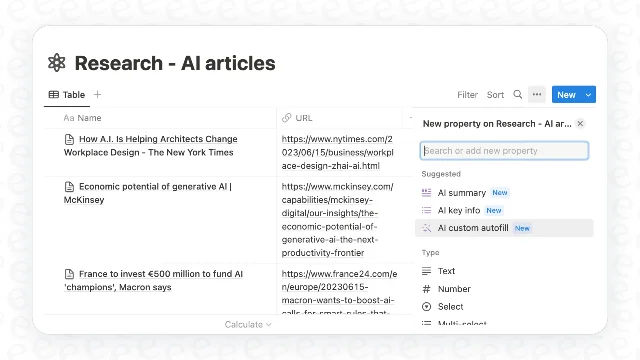
Selecting AI Autofill when adding a new property in a Notion database
Adding an AI Autofill property: hover any column header → click the property name → select "AI Autofill" from the panel. 1

Build the triage pipeline

1. Add a Category Select property

In your Feature Request database, add a new Select property named Category. Pre-populate options: Performance, UX, Platform, Analytics, Other. 1
Pre-creating the option list matters: leave the "Generate new options" toggle off so AI always maps to your defined set, which is what a routing automation requires.

2. Enable Basic Autofill on Category

Click the Category property name → AI Autofill → choose Basic (not Custom Agent) → select Custom autofill → write your classification prompt:
Read the feature request description. Classify it into exactly ONE of these categories:
Performance, UX, Platform, Analytics, or Other.
Base your decision on the primary user need described.
If uncertain, choose Other.
Set When to autofill to When a page is created — not "on edit", which community users report fires 30 minutes to hours late or not at all. 5 Save.

3. Add a Priority Select property

Add a second Select property named Priority with options: P0, P1, P2, P3. Enable Basic Autofill → Custom autofill → prompt:
Read the feature request. Assign a priority:
P0 — blocks core user workflow or has direct revenue impact
P1 — high user demand, aligns with quarterly goals
P2 — nice-to-have, no urgency
P3 — low impact, revisit later
Output only the priority label.
Set timing again to When a page is created. Save.
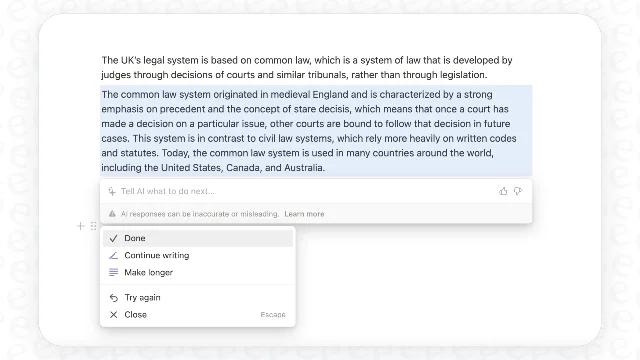
Custom prompt editor for a Notion AI Autofill property
Writing the custom autofill instruction. The prompt editor accepts plain English — no special syntax required. 1

4. Backfill existing rows

The "on create" trigger only fires for new entries. To process your existing backlog: open the database → click the Category column header → Autofill all pages. Repeat for Priority. 1 For rows you edit later, click "Autofill this page" on each row individually — enabling "on edit" globally brings back the latency problem.

Chain to Notion Automations

Once Category and Priority are being filled automatically, you can trigger database automations the moment AI writes a value. 6
The trigger Property edited fires when a specific property changes — and it supports matching against a particular value on Select and Status types. This lets you route on the AI's decision:
Trigger: Property edited — Priority — is set to — P0
Action:  Send Slack notification to #eng-leads
         (include @mention + page URL)
Trigger: Property edited — Category — is set to — Bug
Action:  Add page to — Bug Tracker database
For reaching Jira, Linear, or any external system: the Send webhook action (HTTP POST) is available on all action types without a third-party tool. 6
One hard constraint worth knowing upfront: AI property types themselves (the AI Summary, AI Key Info, AI Custom Autofill property types) cannot be modified by an Automation's Edit Property action. However, the values AI writes into standard Text, Select, or Status properties are fully writable and triggerable. 7
링크 미리보기를 불러오는 중…

What you get

With both autofill properties and two automations active, a new Feature Request row flows through this chain without any manual intervention:
New row added to Feature Request DB
    ↓
Basic Autofill (on create) fills Category + Priority
    ↓
Automation: Priority = P0 → Slack #eng-leads
Automation: Category = Bug → Add to Bug Tracker DB
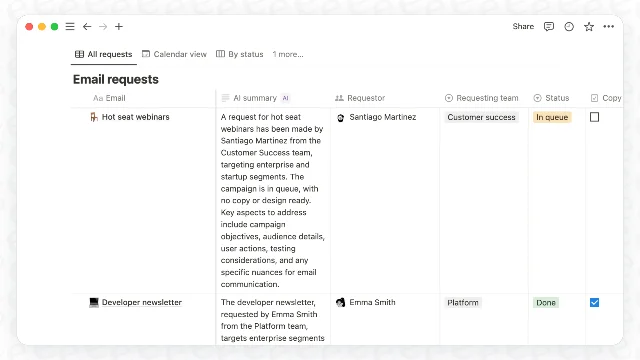
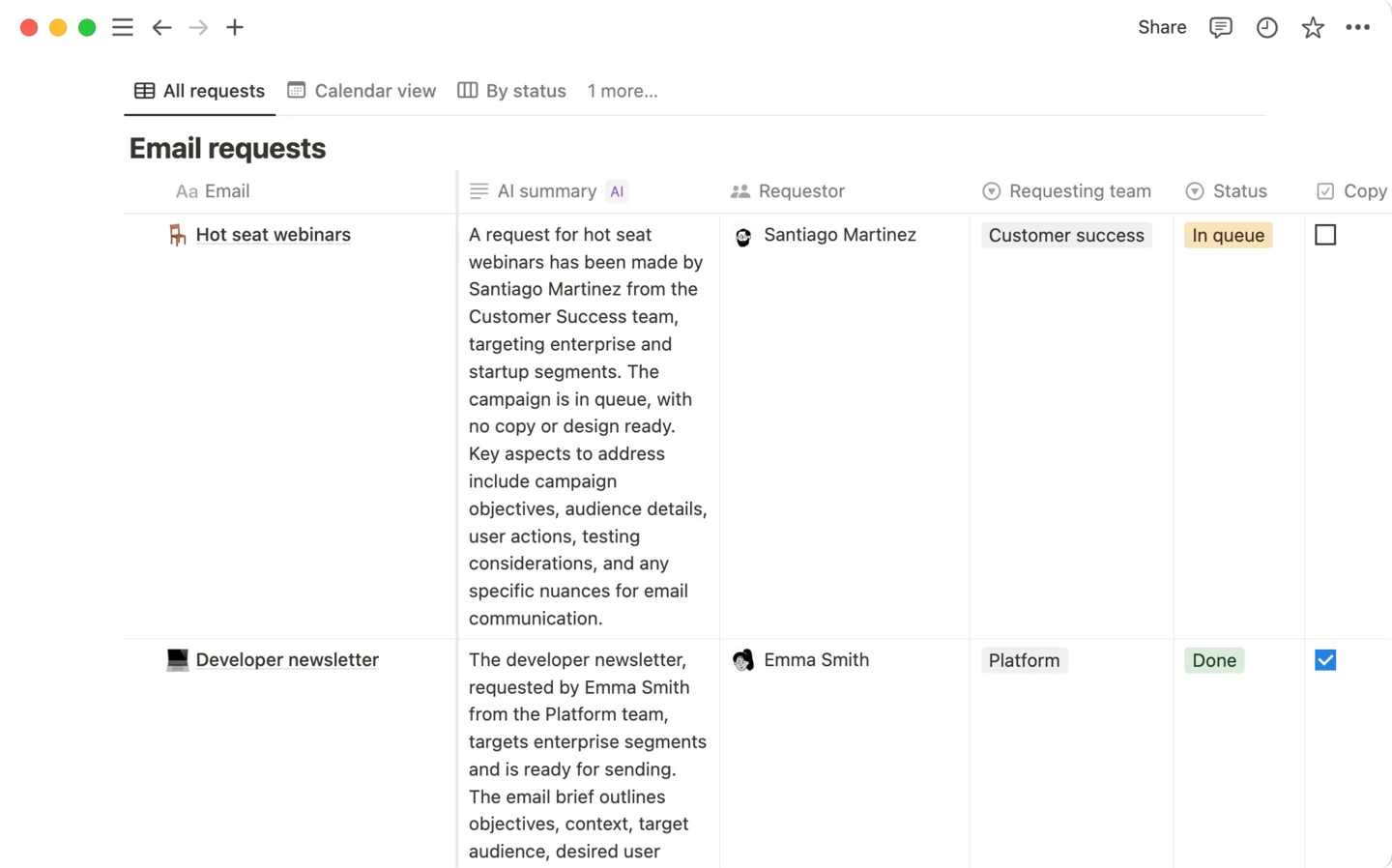
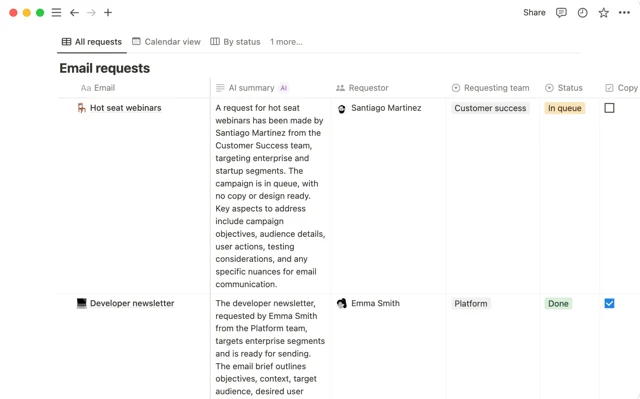
AI Autofill generating a summary in a Notion database column
AI-filled properties in a live database. Each row's Category and Priority values are written by Basic Autofill when the page is created. 8

Gotchas

"On edit" auto-update is unreliable — don't use it for routing. Multiple community users report that auto-update on page edit fires late (30 minutes to hours) or not at all. 5 For an automation that triggers on AI-set property values, use "on page create" only. Manual re-triage of edited rows requires clicking "Autofill this page" on the row.
Custom Agent Autofill billing went live on May 4, 2026. If any of your existing AI Autofill properties were set up before the March 2026 restructure, verify that they are running in Basic mode — not Custom Agent mode — to avoid credit charges. Open the property settings and check which mode is selected. 2 3
AI Autofill only works on certain property types. Confirmed supported: Text, Select, Multi-Select. Status, Number, and Date properties are not explicitly listed in official documentation. 1 If you need AI to fill a numeric score or a date field, use a Text property as the AI output and convert or reference it separately.
Autofill has no persistent memory. Notion AI doesn't learn from corrections you make to its output. If you change a Priority from P1 to P0 and the page is later re-autofilled, the AI starts fresh from the original description. 9 Include all relevant signal — severity indicators, affected user count, revenue impact — directly in the description field rather than assuming AI will infer context from past corrections.
Notion AI stays within Notion's ecosystem. Basic Autofill cannot read attached files, external URLs, Slack threads, or Zendesk tickets. 8 If your feature requests arrive from external channels and arrive with sparse descriptions, the classification quality will reflect that sparseness. Either enrich the description on ingest (a Workers webhook handler works well here) or switch to Custom Agent Autofill with workspace search enabled.
Cover image: Notion Help Center — Notion AI for databases 1

이 콘텐츠를 둘러싼 관점이나 맥락을 계속 보강해 보세요.

  • 로그인하면 댓글을 작성할 수 있습니다.