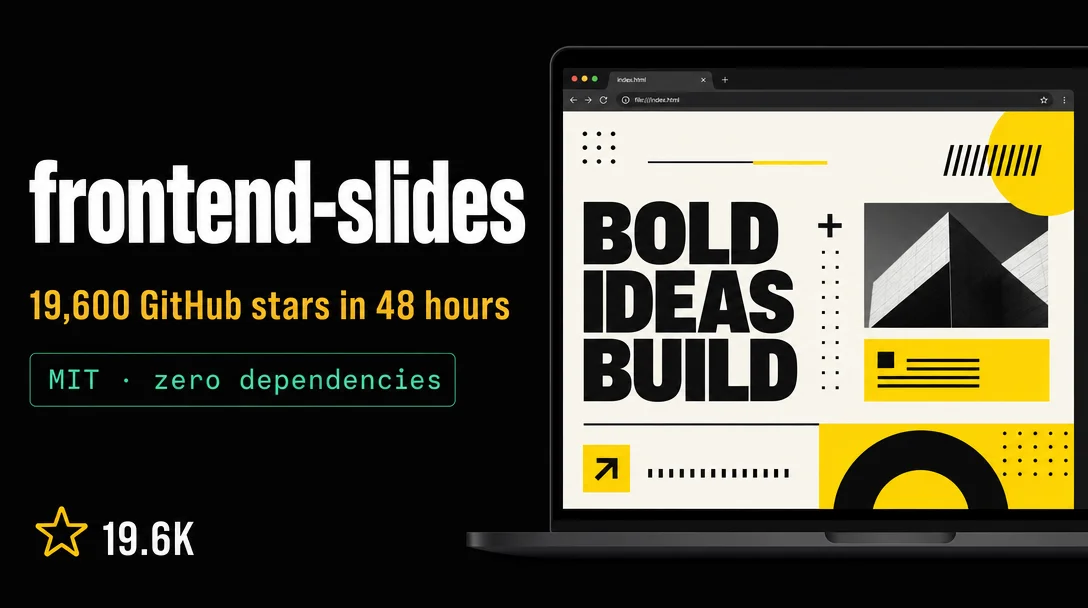
`frontend-slides`: the HTML slide builder that hit 19.6K stars in 48 hours
`frontend-slides` (Zara Zhang / @zarazhangrui, MIT, v2.1.0) is a Claude Code skill — also compatible with Codex, Kimi Code, OpenCode, and Gemini CLI — that generates zero-dependency single HTML files using a "Show, Don't Tell" 3-preview style discovery loop, 12 curated presets, and 34 bold design templates. The article covers the viral growth story, all three install paths, the full usage workflow, style options, PPTX conversion and export, community reception with real user quotes (including honest dissenting views), three known open bugs, and four concrete "when NOT to use" scenarios.

리서치 브리프
You ask your agent for a presentation. It gives you Inter font, a purple-gradient-on-white background, and perfectly centered bullet points. Every time. That's not an AI capability problem — it's a constraint problem. The agent has no aesthetic rules to follow, so it falls back to the most generic training patterns it's seen thousands of times.
frontend-slides, a Claude Code skill by Zara Zhang (GitHub: @zarazhangrui), fixes this by encoding aesthetic decisions as explicit code-level rules. The result: your agent picks from 12 curated style presets and 34 bold design templates, shows you three real rendered HTML previews, and only then builds the full deck. No describing colors in chat. No style-by-accident. 1The repo hit 19,600 GitHub stars in roughly two days after the v2.1.0 release on May 26, 2026 — the fastest growth of any Agent Skill tracked by Skill Leaderboard this week. MIT license. 1,600 forks. 2
콘텐츠 카드를 불러오는 중…
What it does
The skill outputs zero-dependency single HTML files — inline CSS, inline JS, no npm, no build step, no framework. Open the file in a browser in 10 years and it still works. Zara Zhang's README puts it plainly: "Dependencies are debt. A single HTML file will work in 10 years. A React project from 2019? Good luck." 3
Every slide is built on a fixed 1920×1080 stage that scales uniformly to whatever viewport it's displayed in — no reflow, no responsive breakpoints, no layout surprises across different screen sizes. Slide transitions use
visibility/opacity/pointer-events (never display:none, which causes layout reflow). Inline editing is included by default: hover the top-left corner or press E to enter edit mode, Ctrl+S to save to localStorage. 4The skill works with Claude Code (its primary target), Codex, Kimi Code, OpenCode, and Gemini CLI — any agent with filesystem and shell access. v2.1.0, released May 26, removed Claude-specific tool names from SKILL.md entirely: "Removes Claude-specific tool names from SKILL.md; the workflow now speaks to the running agent/environment." 5
Install
Claude Code (plugin marketplace — recommended)
# Step 1: register the repo
/plugin marketplace add https://github.com/zarazhangrui/frontend-slides

# Step 2: install
/plugin install frontend-slides@frontend-slides

# Step 3: invoke
/frontend-slides:frontend-slides
Use the full HTTPS URL in step 1 — the short
zarazhangrui/frontend-slides format can trigger SSH errors on some setups. 1Manual install (any agent)
git clone https://github.com/zarazhangrui/frontend-slides.git ~/.claude/skills/frontend-slidesThen invoke with
/frontend-slides (no namespace prefix for standalone installs).Other agents (Codex, Kimi Code, Gemini CLI, OpenCode)
Send the agent the repo URL and let it read SKILL.md directly:
Read https://github.com/zarazhangrui/frontend-slides and follow the workflow in SKILL.md.The SKILL.md file is 183 lines — deliberately compact. Supporting files load on-demand only as the agent reaches each phase. v2.0.0 reduced the total skill content from 1,625 lines to 1,059 lines (~35% smaller), cutting context usage by ~89% compared to the pre-refactor version. 5
The 3-step usage loop
Once the skill loads, the workflow runs three phases:
Phase 1 — Content intake. The agent asks four questions: What's the purpose and audience? How many slides? What content? High-density (self-contained reading doc) or low-density (speaker-led, big text)?
Phase 2 — Visual discovery. The agent generates three real HTML title-page previews labeled A, B, C. One safe preset, one bold template, one wildcard. You pick by looking, not by describing. No "make it more corporate," no "a bit more colorful" — you just say A, B, or C.
This is the core mechanic. As @yaohui12138 put it in a 7-skill comparison that got 49K views: "The AI-generated PPT ugliness problem is not an AI capability problem — it's that nobody gave it the right aesthetic constraint system. This skill's essence is Show, Don't Tell." 6
Phase 3 — Full deck generation. The agent builds the complete slide deck in the chosen style, opens it in your browser, and saves the single HTML file to your working directory.

Style options: 12 presets + 34 bold templates
The 12 built-in presets cover four categories, each with a distinct font pairing and locked color system: 7
| Category | Presets |
|---|---|
| Dark | Bold Signal, Electric Studio, Creative Voltage, Dark Botanical |
| Light | Notebook Tabs, Pastel Geometry, Split Pastel, Vintage Editorial |
| Special | Neon Cyber, Terminal Green, Swiss Modern, Paper & Ink |
Beyond the 12 presets, v2.1.0 added the Bold Template Pack — 34 deep design systems from @zarazhangrui's
beautiful-html-templates repo, covering editorial/magazine (Soft Editorial, Emerald Editorial, Vellum), neo-brutalist (Neo-Grid Bold, Raw Grid, BlockFrame), retro/nostalgia (Retro Windows, 8-Bit Orbit, Retro Zine), Japanese aesthetic (Sakura Chroma), and corporate (Blue Professional, Signal, Monochrome). 5The skill loads templates progressively: a compact index first, then preview cards for shortlisted candidates, then the full
design.md recipe only after you've made your final choice. This keeps context overhead low even with 34 templates available.What's explicitly banned: Inter, Roboto, Arial, the
#6366f1 indigo color, purple gradients on white, fully centered layouts, and glassmorphism effects. "Generic is forgettable. Every presentation should feel custom-crafted, not template-generated." 3콘텐츠 카드를 불러오는 중…
PPTX conversion and export
The skill handles PPTX-to-HTML conversion via
scripts/extract-pptx.py:pip install python-pptx
python scripts/extract-pptx.py input.pptx output_dir/The script extracts all text, images, and speaker notes. Images go into an
assets/ subfolder; notes convert to HTML comments. Then you choose a style and the agent rebuilds the deck in HTML. 4Vercel deploy (one command):
bash scripts/deploy.sh path/to/your/deck.htmlFirst run needs a Vercel account and
vercel login. After that, the command returns a permanent shareable URL on Vercel's free tier.PDF export via Playwright (Chromium, ~150 MB first-time download):
bash scripts/export-pdf.sh deck.html output.pdf
# Smaller file: add --compact (1280×720, 50–70% size reduction)
Animations don't transfer to PDF — it captures static screenshots per slide. 4
Community reception
The numbers came fast. @zarazhangrui announced 19K stars on May 26 — the post got 30K views, 300 likes, 306 bookmarks. 8 On the same day, @papachong_ai's
awesome-html-slide-skills leaderboard — which tracks Claude Code, Codex, Cursor, OpenClaw, and Hermes — listed frontend-slides as the #1 S-tier skill in the HTML slide category. 9Bin Liu, VP of Product & Agent Engineering at HeyGen, named it one of three must-install Claude Code skills: "if you are ONLY using it for coding, you are missing out." 10
Reddit user redlikecherries recorded a full walkthrough video from cold start to finished deck on r/ClaudeCode (13 upvotes) and r/ClaudeAI (7 upvotes, 10 comments). Their note: "It has 12 slide formats and 3 templates. It supports live charts and subtle animations." The one critique: "no native publishing/editing loop, but I found a workaround." 11
콘텐츠 카드를 불러오는 중…
The Claude Code official community account (@claude_code, 46.4K followers) shared the install command on May 9, picking up 7,026 views. 12
There's also a community fork worth knowing:
archlizheng/frontend-slides-editable (266 stars, MIT) adds a full in-browser editor — drag to reposition, corner/edge resize handles, Ctrl+click multi-select, undo/redo, localStorage persistence, and a rich text toolbar. If you need to tweak after generation (client revisions, review rounds), the editable fork handles that post-generation loop that the base skill doesn't. 13Honest caveats
The "HTML is better than PPTX" premise is partly motivated reasoning. A Reddit commenter put this directly: "I'm telling you, the boner we're getting for HTML presentations is not because HTML is truly superior, it's just because AI can't currently produce the same quality in powerpoint." 14 That's a fair reading. HTML gives agents a creative surface where they can produce aesthetically strong outputs; PPTX's structural constraints trip them up. The skill works precisely because it sidesteps the format LLMs struggle with.
You lose native office integration. PowerPoint's presenter mode, speaker timer, Teams/OneDrive integration, multi-display support, and slide annotations don't exist in HTML output. If your presentation workflow goes through Microsoft 365 or you need to hand off an editable .pptx file, this isn't your tool.
Open issues to know about: inline edit mode drops font inheritance when you paste or press Enter (issue #49, bug); bullet rendering breaks with
display:grid + inline content (issue #62, bug); generation occasionally stalls at the final step with no output (issue #54, intermittent). 15 v2.1.0 fixed five plugin-packaging issues (#51, #60, #63, #64, #73) but these three remain open.An independent reviewer's take. @liangshizhi, who compared three HTML slide skills in April 2026, rated
frontend-slides as the most average of the three — not as close to Claude Design as huashu-design, not as aesthetically sharp as guizang-ppt-skill. His conclusion: "If you can access Claude Design directly, that's still the easiest path." 16 Worth factoring in if your use case is presentation aesthetics rather than the HTML portability angle.When NOT to use this skill
Short tasks that don't need slides. The skill's full Phase 0→5 workflow — mode detection, content intake, visual discovery, generation, delivery, and optional export — is tuned for complete decks. For one-off quick summaries or internal notes, a simple markdown document generates faster and is more portable.
Workflows that must stay in .pptx. Client deliverables, procurement decks, anything going into a Microsoft 365 ecosystem — the HTML output requires a conversion step (either PDF via the export script, or manual copy-paste) that adds friction.
When the output needs post-generation editing. The base
frontend-slides output is a static HTML file. Inline editing (press E) handles text changes, but repositioning elements, changing layouts, or adding new slides requires going back to the agent. For iterative editing, use archlizheng/frontend-slides-editable instead.When font CDN access is unavailable. The style presets use Google Fonts and Fontshare CDN. In air-gapped or heavily firewalled environments, the fonts won't load and your slides will fall back to system fonts — which breaks most of the aesthetic work the presets are doing.
Repo: zarazhangrui/frontend-slides · 19,600 ★ · MIT · v2.1.0 (May 26, 2026) · Open bugs: #49 (font), #62 (bullets), #54 (stall)
Cover image: AI-generated illustration
참고 출처
- 1GitHub — zarazhangrui/frontend-slides
- 2Skill Leaderboard — frontend-slides profile
- 3frontend-slides README
- 4frontend-slides SKILL.md
- 5frontend-slides Releases
- 6@yaohui12138 — 7 PPT skill comparison thread
- 7frontend-slides STYLE_PRESETS.md
- 8@zarazhangrui — 19k stars announcement
- 9@papachong_ai — awesome-html-slide-skills
- 10@liu8in — Claude Code skill recommendations
- 11r/ClaudeCode — /slides is a fantastic skill
- 12@claude_code — frontend-slides install share
- 13GitHub — archlizheng/frontend-slides-editable
- 14r/ClaudeAI — Reddit comments
- 15GitHub Issues — zarazhangrui/frontend-slides
- 16@liangshizhi — 3-skill comparison
이 콘텐츠를 둘러싼 관점이나 맥락을 계속 보강해 보세요.