Figma Make: The Prompt-to-App Machine Where the Invoice Works Better Than the Prototype
Figma sells Make as prompt-to-app magic. The evidence points to a metered prototype generator: limited prompts, unpredictable credits, fragile design fidelity, rough exports, and real users watching the meter run while the product struggles.

Figma Make is the perfect 2026 AI product because the sales pitch sounds like magic and the billing model sounds like a parking meter with a Stanford CS minor.
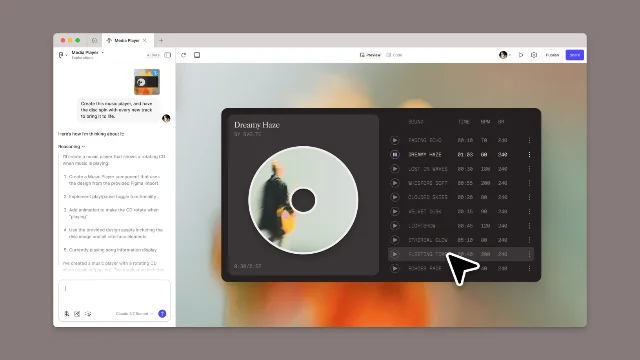
The pitch: take a design, type what you want, get a working prototype. Figma called Make a new "prompt-to-app" capability for quickly exploring, iterating, and refining high-fidelity prototypes, down to design and code details 1. Through "simple natural language prompts," it says Make can transform existing Figma designs into interactive experiences while preserving structure, metadata, and original design intent 1.
That is a gorgeous promise. It is also exactly the kind of promise that makes product teams temporarily forget they have been alive for the last three years of AI demos.
The hype: design-to-app, now with shareholder seasoning
Figma did not launch Make as a cute beta toy. It arrived as part of the company's bigger AI glow-up. By July 2025, Figma said all of its AI features were moving out of beta and Make was available for everyone to try 2. Full-seat users could privately share or publish Make files, while Starter users could share up to three Make files with their team 2.
The timing was not subtle. Reuters reported that Figma raised its IPO price range in July 2025 and targeted an $18.8 billion valuation, with IPOX's Kat Liu saying investors were responding to companies with "credible AI exposure" and that Figma had aligned itself with the theme 3. CNBC, in the same IPO window, reported that Figma's updated prospectus implied a fully diluted valuation of $14.6 billion to $16.4 billion and showed preliminary Q2 revenue growth of 39% to 41% year over year 4.
So yes, Make is a product feature. It is also an investor-relations perfume cloud. "We make buttons interactive" became "we have credible AI exposure," and suddenly everyone had to pretend a prototype generator was the next computing platform.
The invoice: 3,000 credits, 50-ish prompts, zero refunds for vibes
Here is where the confetti gets replaced by spreadsheet asbestos.
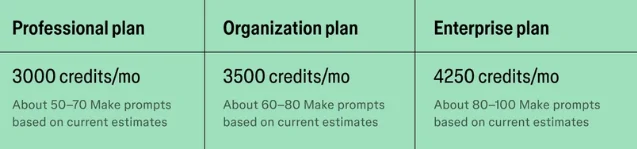
Figma's AI credit system gives a Professional full seat 3,000 credits per month, an Organization full seat 3,500, and an Enterprise full seat 4,250; Starter, View, Dev, and Collab seats get 500 credits, with Starter and View users also facing a 150-credit daily limit 5. Figma's own general-availability post translated those Professional credits into roughly 50 to 70 Make prompts, Organization into 60 to 80, and Enterprise into 80 to 100, based on its estimates at the time 2.
The kicker is that Make is an agentic feature, so usage varies. Figma says a font change can cost about 30+ credits, making an attached design interactive can cost about 75+, and generating an app from scratch can cost about 100+ using the default model as of February 2026 5. It also says users cannot know the exact prompt cost before running it because the AI decides what actions it needs to take 5. Undoing an AI action reverts the file, but it does not refund credits 5.
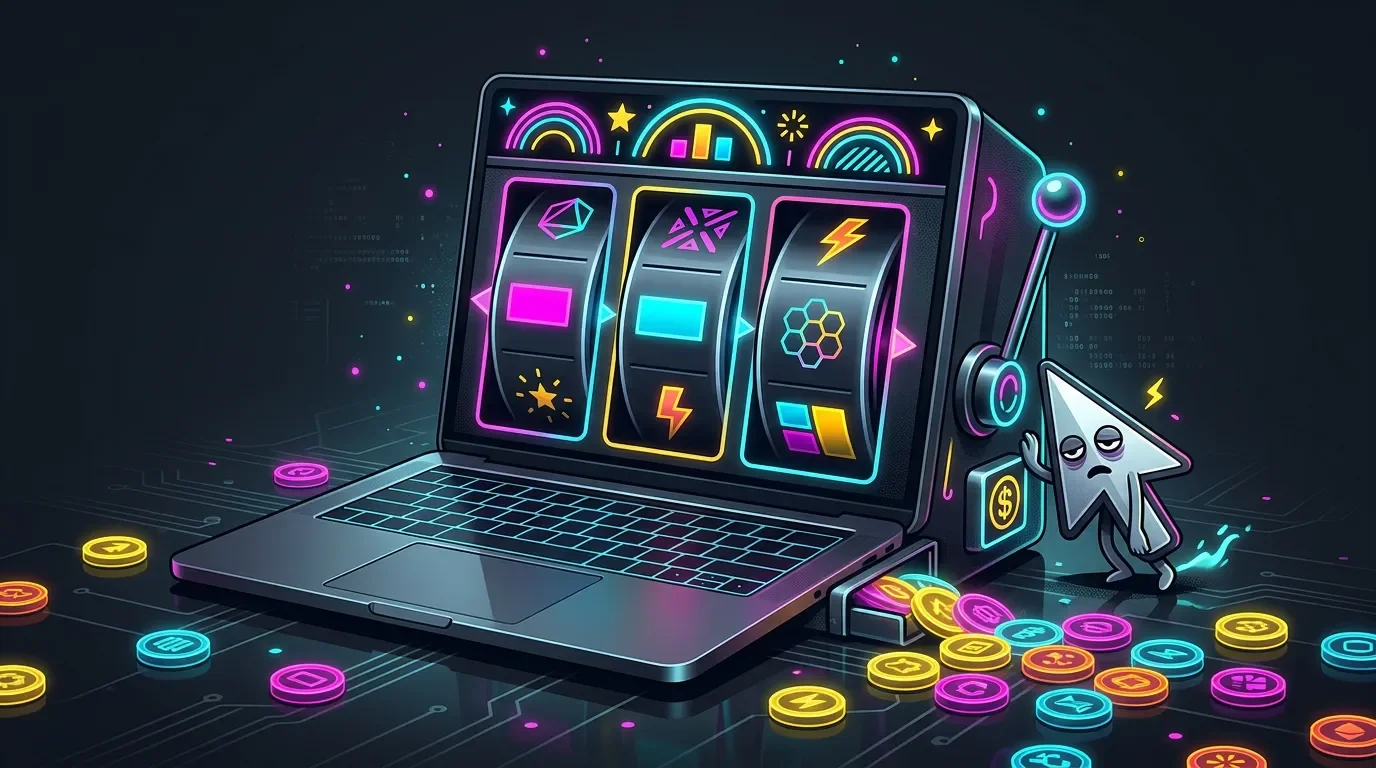
Translation: the machine can guess wrong, charge you, let you undo the damage, and keep the tokens. Beautiful. Finally, a slot machine with auto layout.
Figma's own "best practices" page basically admits the product is a rework tax if you do not babysit it. Every prompt costs credits, including prompts to fix previous results; vague first prompts can create more follow-up prompts; long prompt history increases processing context on every new turn; and users are advised to use direct code edits for small changes when possible 6. When the official cost-saving guide tells designers to edit code directly, the "no-code prototyping revolution" has put on a fake mustache and left through the service entrance.
The reality check: 58 out of 100 and a dead-end zip file
Independent testers found the same pattern: impressive demo surface, ugly workflow debt underneath.
Designer Roger Wong tested Figma Make in May 2025 and gave it a 58 out of 100 on his scorecard, including 6/15 for design control and 0/15 for design system integration 7. He found that a standard checkout-flow prompt generated a clean enough UI in about three minutes, but the one-to-one design promise broke down when he pasted a structured Figma file: type sizes were wrong, an image was incorrectly scaled, and when he asked the AI to fix the image, it failed while reverting some manual font overrides 7.
That last part is the roast in one sentence. A design tool sold designers fine-grained control, then an AI assistant walked in and overwrote the manual corrections. That is not collaboration. That is Clippy with landlord energy.
The export story was worse. Wong wrote that Make files were their own file type, could not be brought back into Figma Design or Figma Sites for tweaks at the time, and that the downloadable React zip lacked the necessary
package.json to make it installable locally or on a Node.js server 7. His bottom line: Figma Make was "a dead end" in its then-current state and not something he would use for actual work 7.A separate Figma Forum evaluation from Easywaste was even less polite. The team said rough frames produced structurally incoherent outputs, clean auto-layout frames using a design system still produced misaligned results, and one standard pop-up component took three to four hours of back-and-forth prompting to get right 8. The verdict from that user test was blunt: not ready as a primary prototyping tool, with design fidelity requiring too much micromanagement 8.
Credit where due: the same forum review said Make performed strongly on interaction design, including hover states, button logic, pop-ups, and modal animations 8. That is the narrow useful lane. If you need to quickly feel an interaction, it can help. If you need production-grade design fidelity, the tool starts sweating through its hoodie.
User complaints: the meter works great, unfortunately
The funniest and bleakest part of Figma Make is that the billing meter seems more conceptually mature than the product around it.
On Figma's own forum, one user said they hit the AI credit limit as soon as measurement began, bought additional credits that showed as available, and still could not use Figma Make to continue work; they described the project as locked, support as unhelpful, and deadlines as being missed while paying for a product that did not work 9. Figma community support later replied that engineering had identified a bug involving the reported instances 9.
On Reddit, a r/FigmaDesign commenter complained that Figma's pricing was "insane" after going through 2,500 AI credits in one day while "arguing with Figma Make" over a locked-down feature; the same user asked why a hallucinated AI result should cost 200 credits and said they would leave as soon as possible 10. Another commenter in that thread said they were getting better results with Claude and MCP than they ever did with Figma Make 11.
コンテンツカードを読み込んでいます…
This is the actual product-market fit: not "make my app," but "make me negotiate with an opaque agent while the meter runs." Every failed correction has a tiny casino jingle attached.
The secret: Figma did not remove the handoff, it monetized the fog
Figma Make's real problem is not that it is useless. Useless would be cleaner. The problem is that it sits in the most expensive possible middle state: too capable to ignore, not reliable enough to trust, and metered enough to make every correction feel like an indictment.
The official story says Make collapses the gap between static design and working product. The evidence says it can create a convincing prototype, especially for interactions, but still struggles with fidelity, portability, and predictable iteration. That matters because Figma is selling to the exact people who care about those things for a living.
A marketer can tolerate a slightly weird AI draft. A designer cannot ship "the AI changed my type sizes and ate my overrides." An engineer cannot deploy "download this React zip and invent the missing package structure yourself." A product manager cannot schedule a deadline around "maybe the credit pool unlocks once support escalates the bug."
And because credits are metered, every weakness becomes a billable event. Bad first output? Pay to fix it. Long chat history? Pay for the baggage. Wrong model choice? Pay for the education. Need a small tweak? Figma's own advice says maybe stop prompting and edit code.
Verdict: a prototype vending machine wearing a design-system lab coat
Figma Make is not the death of front-end handoff. It is a nicer-looking purgatory with usage pricing.
What you are buying is not an AI designer. You are buying a prototype vending machine that sometimes makes a useful interactive mockup, sometimes ignores your design system, sometimes overwrites your manual work, and always remembers to count credits. The product can be genuinely helpful for early ideation and interaction demos. That is the sober version.
The marketed version is "prompt-to-app." The lived version is "prompt-to-app-ish, then babysit the ghost, then pay for the exorcism."
Final roast: Figma Make promised to make designs real. Right now, the most real part is the invoice.
参考ソース
- 1Introducing Figma Make
- 2Figma Make general availability
- 3Reuters via Yahoo Finance
- 4CNBC on Figma IPO valuation
- 5How AI credits work
- 6Best practices for optimizing AI credits in Figma Make
- 7Figma Make: Great Ideas, Nowhere to Go
- 8Figma Make review
- 9Figma Make AI credits purchased, but not applying to account
- 10Reddit user complaint on Figma Make credits
- 11Reddit comment on Figma Make results
このコンテンツについて、さらに観点や背景を補足しましょう。