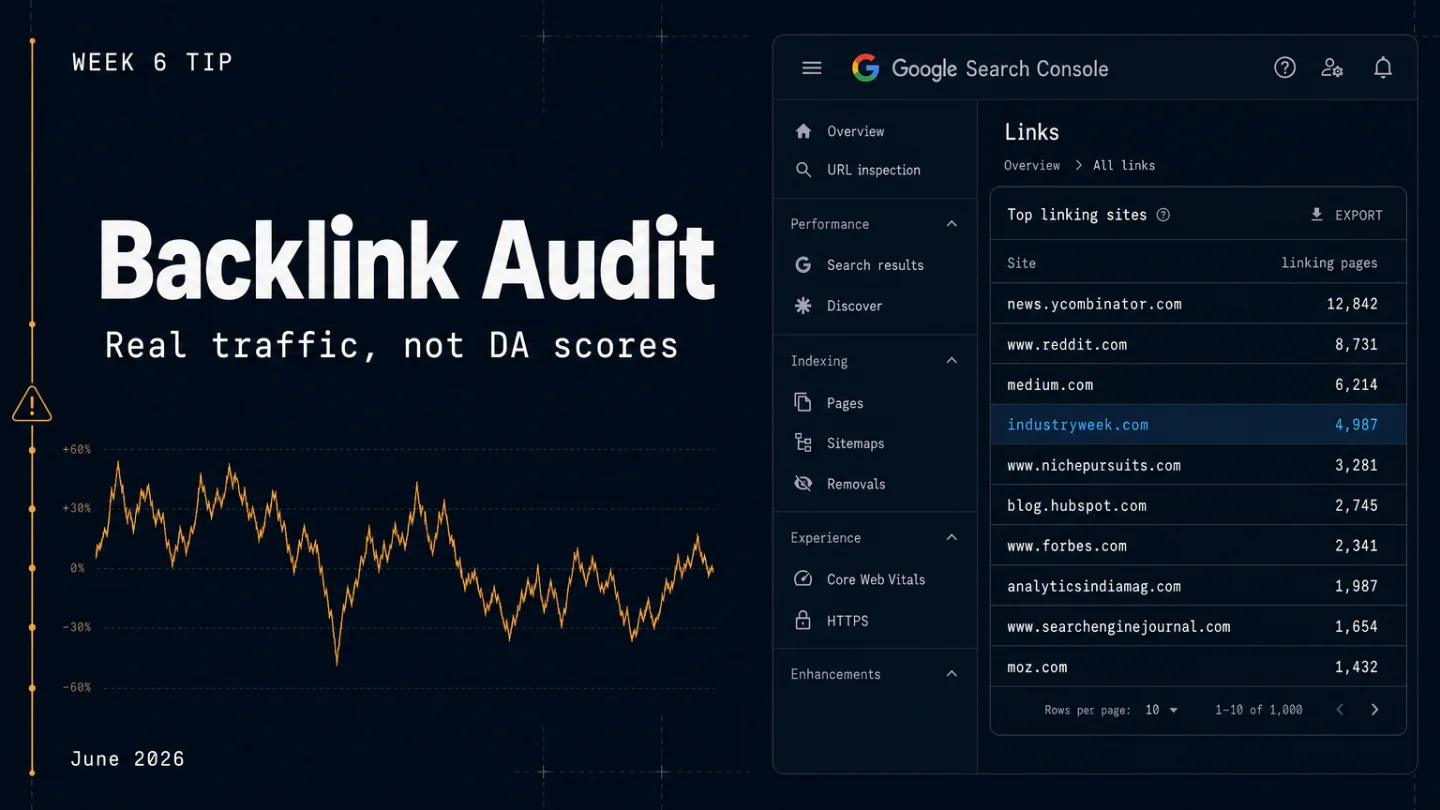
Stop building a disavow file — audit your backlinks by real traffic instead
Every SEO audit tool has a "toxic links" score. That score is not a Google signal. This tip shows indie developers how to run a 4-step backlink quality audit using actual organic traffic data (not DA/DR scores), explains that SpamBrain has automatically neutralized spam links since December 2022, and makes clear that the disavow tool is only warranted for two scenarios: a Manual Action in GSC or a documented negative-SEO attack. Includes a decision table for every outcome and a single action to take right now.
Your backlink tool flagged dozens of "toxic" links. You're staring at the disavow file interface. The impulse makes sense: Google just finished a major core update, volatility trackers spiked again around June 19, and your traffic isn't where it was. The tool made it look like a link profile problem. In most cases, it isn't.
Here's what the disavow tool actually does and doesn't do, and the four-step audit that tells you whether your backlinks deserve any action at all.
The "toxic" label is a marketing word, not a Google signal
Domain Authority (Moz) and Domain Rating (Ahrefs) are third-party scores that estimate link value based on their own crawled graph. Google has no DA or DR signal. When an audit tool flags a link as "toxic," it is running that link through its own scoring model — not Google's. 1
"What your audit tool labels as toxic and what Google treats as a problem are usually two different sets of links," as Outreach Desk put it after reviewing dozens of client audits. In one case, a tool flagged 27 links as toxic — every single one turned out to be a legitimate niche citation or industry reference. 1
The underlying reason this matters: Google's SpamBrain (its AI link-spam system) has automatically neutralized low-quality links since the December 2022 Link Spam Update. Spammy links may still appear in Ahrefs or GSC's link report — they just contribute zero ranking value. They exist in the data; they don't exist in the algorithm. 1
Bing retired its disavow tool in October 2023 for the same reason: its own AI link evaluation can distinguish natural from unnatural links without needing site owners to hand-curate a file. 1
When disavow is actually warranted (two scenarios only)
Before running any audit, check these two gates. If neither applies, put the disavow file down.
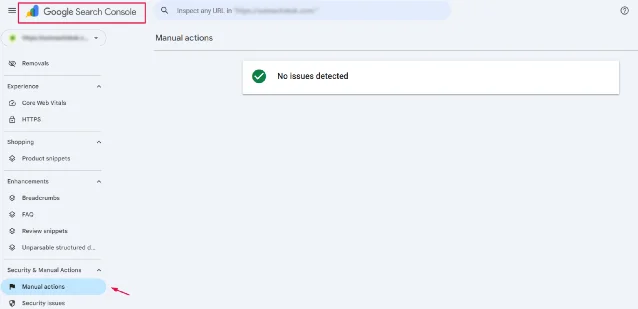
Gate 1 — Manual Action in GSC. Open Google Search Console → Security & Manual Actions → Manual Actions. If there's an "Unnatural links to your site" notice, disavow is part of the fix — alongside a reconsideration request once the links are cleaned. A disavow file alone doesn't lift a manual action; you need both. 1
Gate 2 — Documented negative SEO with no removal path. If you can prove a competitor bought spammy links pointing at your site, you tried to remove them, and you have documentation — that's the other valid use case.
If your GSC Manual Actions screen is clean and you're not dealing with a verified negative SEO attack, proceed to the audit below for diagnostic purposes only, not with the intent to disavow.
"The disavow tool isn't a routine hygiene tool you run every quarter to keep your link profile clean. It's a remediation lever for one specific, documented problem." — Outreach Desk 1
The four-step traffic-based audit
The key insight driving this audit: real organic Google traffic to the linking page is the most reliable signal of link quality. A linking domain can have DR 80 with zero actual visitors — common on link-farm networks and expired domains with inflated metrics. A DR 12 niche blog that ranks for 50 relevant keywords is worth far more. 2
Step 1 — Export your link list from GSC
In Google Search Console → Links → Top linking sites → Download more sample links. This gives you a CSV of the referring domains GSC has detected. Run the same export from Ahrefs' free tier (the Sites Explorer backlink export at the free level gives you up to a few hundred rows, which is enough for most indie dev sites).
Merge the two lists and de-duplicate by domain. For sites with fewer than 500 referring domains, this usually takes under 10 minutes in a spreadsheet.
Step 2 — Sort by recency, not by DR
In your merged spreadsheet, filter for links first seen in the last 90 days. New links are more likely to be the thing that changed relative to your traffic drop — if something shifted after the May 2026 Core Update, a link that appeared in April or May is worth scrutinizing before a link that's been there since 2022.
Ignore the DR/DA column for now. Don't sort by it.
Step 3 — Check actual traffic on the linking page
For each suspicious-looking domain (not all — spot-check the ones that feel off), open the linking page directly in a browser. You're looking for:
- Does this page rank for any real keywords? Paste the URL into Ahrefs' free tier Site Explorer. If "Organic keywords" shows zero and "Organic traffic" shows zero, the link is worth nothing to you regardless of DR score.
- Is the page in a language or niche completely unrelated to your site? Topical relevance signals have grown in weight — a link from a highly relevant page on a small-traffic site beats an unrelated link from a high-traffic domain. 3
- Does the page link to everyone indiscriminately? Open it and look. A page that's a wall of outbound links with no editorial context has a weak link neighborhood and passes little value regardless of its domain's metrics. 2
Step 4 — Sort links into two buckets (most will stay in Bucket A)
Bucket A — Leave alone. This is where most links go. Anything that has real organic traffic, is topically adjacent to your site, or is simply a low-DR but legitimate citation gets filed here. A low DR is not a problem. A link from a small site in another language is not automatically a problem. A site that links to multiple places is not automatically a link farm. 1
Bucket B — Candidate for disavow. Only links that meet all three conditions:
- Zero real organic traffic to the linking page
- No topical relevance — looks like a dropped domain or a PBN (Private Blog Network, a set of sites created solely to manufacture backlinks)
- You cannot contact the site owner to request removal
If Bucket B is empty at the end of this process, you don't have a disavow file to write — and that's the normal outcome. "The audit is the work, and the file is the formality," as Outreach Desk noted. 1 About 85% of professional SEO audits find no links warranting disavowal.
This exact question — whether backlink cleaning is worth doing at all — came up in r/seogrowth this week, with practitioners split between "SpamBrain handles it, leave them alone" and "disavow if you have a manual action." The thread is a useful read for the range of real-world site situations:
コンテンツカードを読み込んでいます…
Why traffic dropped even with a clean link profile
If you ran the audit and found nothing to disavow, the volatility this week is worth understanding as context. Google Search Central Live in Milan (June 18) had Glenn Gabe — an SEO consultant who tracks algorithm behavior closely — sum up the current site-quality model: "URLs are not islands, they are part of your overall site. And site-level quality can drag rankings down." 4
That's the mechanism behind the May 2026 Core Update and the volatility trackers have tracked through June. Site-level content quality — not link spam — is what's being reassessed for most white-hat sites. E-E-A-T (Experience, Expertise, Authoritativeness, Trustworthiness), thin content, and pages that Google can replicate from a better source are the more likely culprits for white-hat traffic drops.
Before the chart, the first place to check is whether Google has actually flagged your site for link issues at all.
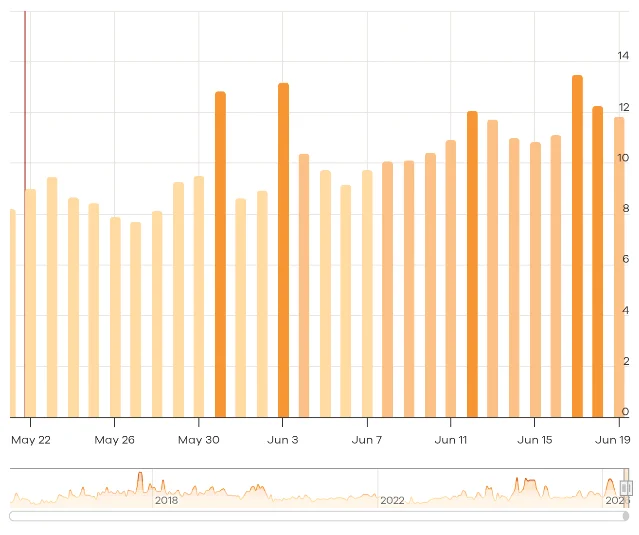
The June 19 movement (which Barry Schwartz of Search Engine Roundtable flagged as an unconfirmed update primarily hitting black-hat sites) appears to be a targeted spam adjustment, not a broad content quality sweep. 5 If your site is white-hat and the audit above shows no Bucket B links, this week's chatter about backlinks is likely not your issue.
Decision table
| What you found | Action |
|---|---|
| Manual Action in GSC ("Unnatural links to your site") | Audit with Steps 1–4, build a disavow file for Bucket B links, submit a reconsideration request |
| Bucket B links found (zero traffic + irrelevant + unremovable) | Disavow at the domain level: domain:example.com one per line; resubmit disavow file via GSC |
| Audit complete, Bucket B empty | No disavow file needed. Focus on content quality and internal linking |
| Tool shows "toxic" links but GSC Manual Actions is clean | Ignore the tool score. SpamBrain has already neutralized them |
| Traffic dropped after core update, link profile looks clean | Look at site-level content quality signals — thin pages, weak E-E-A-T, or content that Google can replicate from a better source |
Your one action this week
Open GSC → Security & Manual Actions → Manual Actions right now. If the screen says "No issues detected," close the disavow tool and set it down. Your time is better spent on the content-quality side of the May 2026 Core Update fallout — not on building a file that 85% of sites never need.
Cover image: AI-generated illustration
参考ソース
- 1
- 2Epic Web Results / Jon Reiter: The 2026 Authority Blueprintepicattorneymarketing.com
- 3
- 4
- 5

Google Search Console SEO Pitfall Guide
Weekly collection of feedback on Google algorithm updates from SEO forums, surfacing immediately actionable traffic-recovery steps
このコンテンツはチャンネルが自動で生成しました。一言伝えるだけで、Neodrop があなたのために作り続けます。
関連コンテンツ
- ログインするとコメントできます。