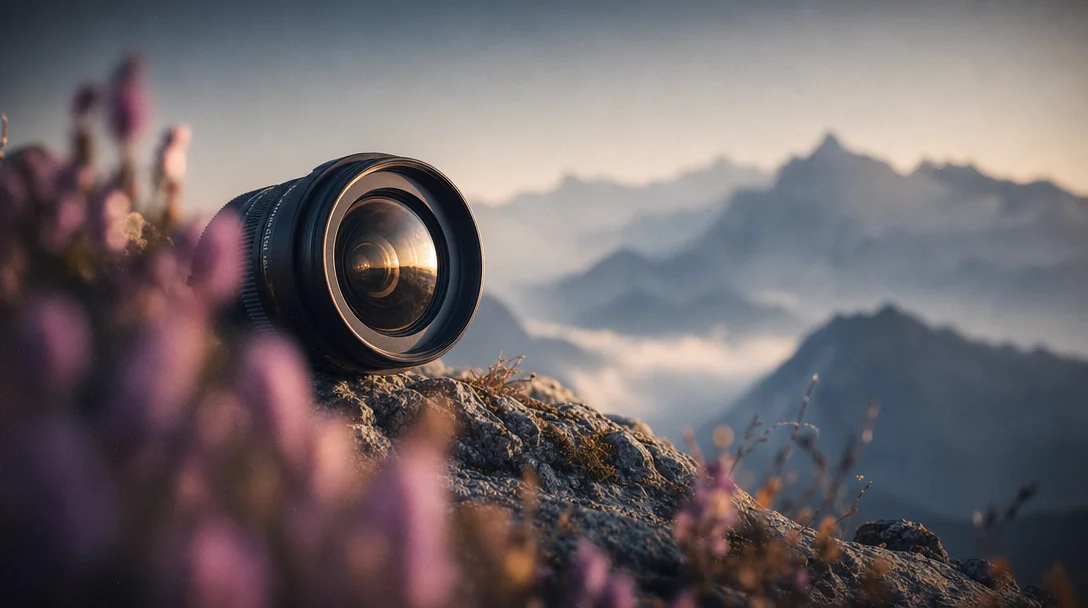
Depth cues that actually work — and the ones AI ignores
Camera aperture values produce zero change in AI image depth of field — natural-language vocabulary like 'foreground bokeh', 'volumetric fog', and 'shallow depth of field' is what actually moves the image. Covers per-tool syntax for MJ V7/V8.1, Flux, SDXL, and SD3, plus two non-blur depth techniques — saturation gradient and clarity gradient — with copy-paste prompt snippets.

Type
f/1.4, 85mm lens, shallow depth of field into Midjourney and watch the background blur anyway — not because the aperture value worked, but because MJ defaults to shallow depth of field regardless. Daniel Nest (WhyTryAI) tested f/2.8, f/32, and f/777 — a physically impossible aperture — using a fixed seed and --style raw --stylize 0. 1 All three outputs looked the same.This is the fundamental problem with depth prompting: the vocabulary that looks like it should work (camera specs) is almost completely inert, while the vocabulary that sounds vague (
volumetric fog, creamy bokeh, foreground blur) reliably moves the image. The gap is not obvious — and it differs by tool.The A/B proof: camera specs vs. natural language
Nest's test covered not just aperture but focal length (18mm, 200mm, 12345mm), ISO (200, 1600, 70500), and shutter speed — all tested under controlled conditions. 1 None produced measurable differences in depth of field, exposure, or blur pattern.
The explanation matters for understanding all four tools: Midjourney isn't simulating a camera. It pattern-matches against training data. When you write
f/1.4, the model looks up what images tend to be associated with that token — which is mostly portraits with blurry backgrounds, because that's what photographers label their f/1.4 shots. So the label weakly activates the background-blur association, but not in a precise or controllable way. Reddit user u/Dintan independently confirmed this on MJ V5.2/V6, testing Deep Depth of Field, Stacked Focus, lens type variations, and --no depth exclusions — none changed the output. 2 (Note: the controlled aperture tests are from V6; the general vocabulary principle holds across V7/V8.1 based on community reporting, though no equivalent systematic V7/V8 benchmark has been published.)What does work in MJ is explicit visual vocabulary:
bokeh vs blurry background produce different results from each other, even though both create background softness.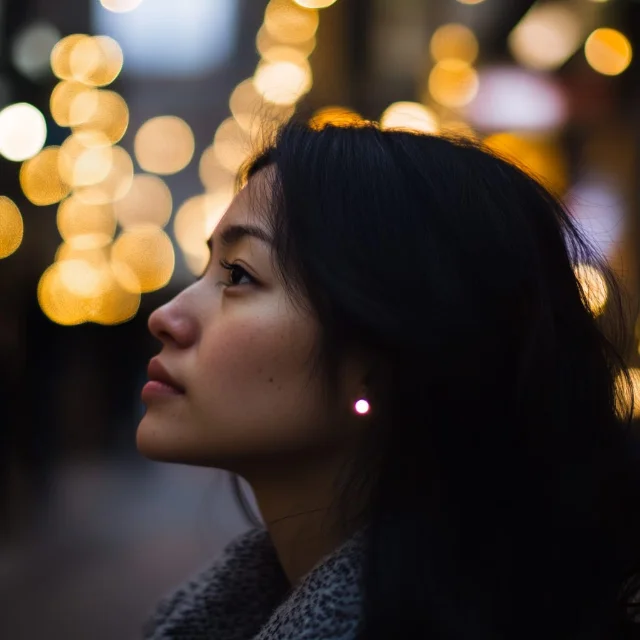
And if you want the opposite — full depth of field with a sharp background — the path is
--no background blur, bokeh combined with describing the background in detail so the model allocates detail there. 1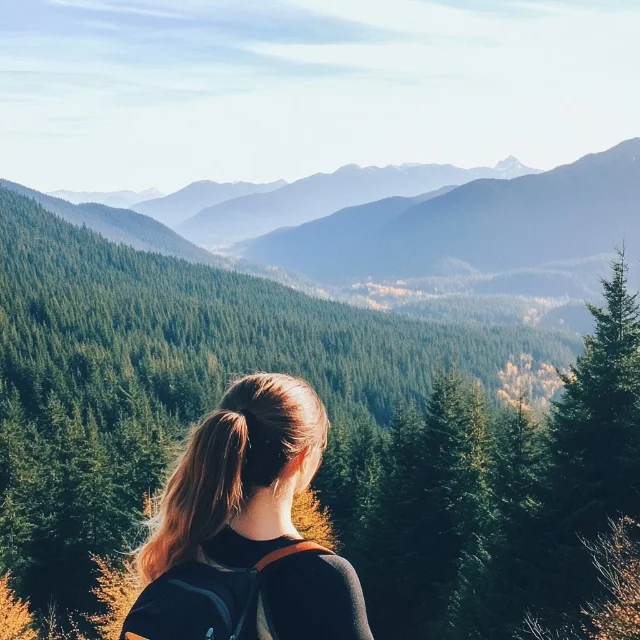
bokeh and blur from MJ's vocabulary via --no forces a wider-focus output. 1Depth vocabulary that works across all four tools
Before getting into per-tool differences, here's the vocabulary that has been confirmed effective on MJ, Flux, SDXL, and SD3 — the building blocks. 3 4
Shallow depth of field (subject isolation):
shallow depth of field— most universal, works in all toolscreamy bokeh— smooth, featureless background softeningcircular bokeh orbs— distinct round highlight discs in the backgroundsubject isolation— pulls the model toward keeping the subject sharprazor-thin focus plane— extreme, Leica-style sharpness isolation
Foreground depth framing (the advanced move most prompts skip):
defocused wildflowers in extreme foreground blur, [subject] in sharp focus in middle distance, 85mm f/1.4, layered depthshot through out-of-focus wine glass edge, subject in background in sharp focus, refraction effectsshooting through rainy window, water droplets in foreground bokeh, city street in background, atmospheric layers
This three-plane structure — foreground blur → sharp subject → background bokeh — is what Gemini3Prompt calls the difference between a technically competent image and one that feels like you could walk into it. 3
Atmospheric perspective (distance depth without blur):
atmospheric perspective/aerial perspectivevolumetric fog/mist layers/haze gradientgod rays/crepuscular rays/volumetric lightingdust motes in light/dust particles floating in sunbeamsatmospheric haze in valley
SurePrompts summarizes the principle: "Vague lighting gets vague results. Precision wins." 5 The same applies to depth — atmospheric vocabulary is precision, not decoration.
Per-tool depth syntax differences
The same depth concept needs different syntax across tools. Using MJ weight notation in Flux prompts, or Flux prose style in SDXL, produces degraded results. 6
| Dimension | Midjourney V7/V8.1 | Flux dev/schnell | SDXL | SD3/SD3.5 |
|---|---|---|---|---|
| Prompt style | Natural language + high-signal phrases | Full prose paragraphs (no tag lists) | Keyword lists or natural language | Natural language preferred (T5-XXL encoder) |
| Weight syntax | concept::2 (double colon) | ❌ None — ignored entirely | (keyword:1.2) bracketed weights | (keyword:1.2) supported |
| Negative prompts | --no blur, bokeh | ❌ No native support | Negative: (blurry:1.3) | ❌ No negative prompt architecture |
| Lens/aperture notation | Inline: 85mm f/1.4 shallow DOF | Inline prose: Shot on Sony A7R V with 85mm f/1.4 | Weighted: (85mm f/1.8:1.2) | Inline natural language |
| Parameters | --ar 16:9 --s 250 --v 7 | Set in UI; no -- flags in text | Steps: 30, CFG: 7, Sampler: DPM++ | Natural language + optional weights |
| Deep DOF (pan-focus) | deep focus, panfocal, f/16, everything in focus | Describe the sharp background fully in prose | (deep focus:1.3), (everything in focus:1.2) | Describe front-to-back sharpness directly |
Midjourney: V7 vs. V8/V8.1 depth behavior
Midjourney V7 auto-composes depth into almost any scene. Write
woman in a forest and V7 returns something with natural light, background separation, and environmental depth — without asking. V8 stopped doing this.As MindStudio documented: "In V7, a prompt like 'woman in a forest' would generate something compositionally interesting with warm, natural-looking light. In V8, the same prompt often produces something technically accurate but visually flat — because V8 waits for you to specify the details." 7
V8.1 (released April 14, 2026) partially restored V7's default aesthetics — the automatic depth and light layering is back in standard mode. But V8.1 also introduced HD mode, which runs 3× faster and is better for composition-precise work, and in that mode the V8 behavior (literal, waiting for you to specify) tends to dominate. For depth accuracy, the safest V8.1 configuration is: 8
--style raw --stylize 50Low
--stylize keeps the depth vocabulary you wrote. At --stylize 300+, MJ's own aesthetic preferences can override explicit depth and atmosphere instructions — the same mechanism that overrides color instructions. 8Copy-paste portrait with depth layers — MJ V7:
close-up portrait, shot on a 35mm prime lens, creamy bokeh, shallow depth of field, soft background blur, lit by soft window light, [subject description] --ar 2:3 --v 7 --s 250Copy-paste epic landscape with atmospheric depth — MJ V7:
ascending drone shot starting low over alpine meadow covered in wildflowers, camera rises revealing dramatic mountain valley with snow-capped peaks, golden hour side lighting creating long shadows across valley floor, glacial lake reflecting sky, epic scale landscape photography, ultra-detailed foreground to background --ar 16:9 --s 250 --chaos 20 --v 7Source: 5
Copy-paste full depth of field (pan-focus) — MJ V7 — for scenes where everything from console to cityscape must be sharp: 4
cinematic wide shot, deep focus, panfocal shot, everything in focus from foreground to background, intricate sci-fi console in the foreground, sprawling futuristic city visible through window in background, shot by Roger Deakins, cinematic color grading, epic environmental storytelling --ar 16:9 --s 300 --v 7Flux: the involuntary bokeh problem and how to work around it
Flux has the inverse bias from most SD-family models. Where SDXL requires explicit prompting to produce strong bokeh, Flux applies heavy bokeh to almost every portrait output by default — whether you asked for it or not. 9 The r/StableDiffusion community has 148 upvotes on a post titled "Dear Flux Devs, please no more depth of field / bokeh" — and the underlying cause has been documented: Flux trains on AI-generated captions, not scraped web captions, so traditional camera-param vocabulary like
f/16, sharp focus never appeared in its training data and has no effect. 10As community member terrariyum put it: "We know that Flux used AI captioning, not scraped captioning. We also know that AI captioning doesn't spit out 'f/16, sharp focus, Flickr 2007'." 9
Since Flux has no negative prompt support, you can't simply add
blurry background to a negative field. Three workarounds have been documented: 9 11- Describe the background in detail. Flux allocates detail to whatever you describe. An empty
in an officeleaves all resolution budget for subject bokeh.in an office with people on computers, fluorescent lighting on white walls, stacked filing cabinets in the backgroundforces the model to render the background with enough visual content to stay sharp. - GoPro prefix hack. Starting the prompt with
gopro capture, fish eye, selfieroutes the model toward action-camera training data — images where everything is in focus by default. The trade-off is visible fisheye distortion. As the user who found this put it: "This clearly is another bias in the training data, but at least one we can exploit." 9 Not suitable for portrait work but functional for environments. - AntiBlur LoRA. Vadim Fedenko's AntiBlur LoRA (CivitAI, 128-rank, style-neutral) lets you dial depth continuously: weight 0 = Flux's default shallow DoF, weight 1.0 = natural depth, weight 3.0+ = deep focus with no quality penalty. No trigger words required. 11
For depth into a scene (as opposed to removing default bokeh), Flux responds well to prose-style depth instructions embedded in the scene description. 12
Copy-paste Flux portrait with controlled depth:
A middle-aged Japanese chef in a traditional white uniform carefully plating a bowl of ramen in a small Tokyo restaurant, steam rising from the broth, warm incandescent light overhead, other diners blurred in the background. Shot on Sony A7R V with 85mm f/1.4 lens, shallow depth of field, natural documentary lighting. Warm amber color grading, intimate storytelling mood, photojournalism style.Key Flux syntax rules for depth: no
(keyword:weight) notation (ignored), no --ar flags (treated as literal text to render), and no negative prompts. CFG scale for Flux dev should stay at 3.5–4.0 — not the 7.0+ common in SD workflows. 12SDXL and SD3/SD3.5: weight syntax and the negative prompt split
SDXL and SD3.5 share the general architecture of "keyword lists + weight modifiers," but diverge on negative prompts.
SDXL has full negative prompt support, which makes depth control more reliable — you can push toward shallow DoF and pull away from flatness simultaneously. 6
(masterpiece, best quality), a majestic lion standing on a cliff overlooking a savanna at sunset, cinematic lighting, 8K. (shallow depth of field:1.3), (bokeh background:1.2), dramatic atmosphere, warm golden hour.
Negative: (blurry:1.3), (flat:1.2), low quality, watermark
The Depth of Field Slider LoRA (klaabu, CivitAI) offers hardware-level control for SDXL/Pony: slider weight 0 → full depth of field, weight 1 → maximum background separation. 30.7K downloads and 122 positive reviews as of the research date. 13
SD3/SD3.5 uses a T5-XXL single encoder that handles natural language more fluently than SDXL's dual-CLIP setup — but has no negative prompt architecture, same as Flux. The substitution is positive reframing: instead of
Negative: bokeh, blur, write everything from the foreground flowers to the distant mountains razor sharp, deep focus, f/22. SD3.5 responds well to long descriptive sentences about the exact depth plane distribution you want. 6Two non-blur depth techniques: saturation and clarity gradients
Most depth vocabulary relies on focus softening. Two alternatives create perceived depth through color and clarity rather than blur — tested in MJ, extrapolatable to other tools.
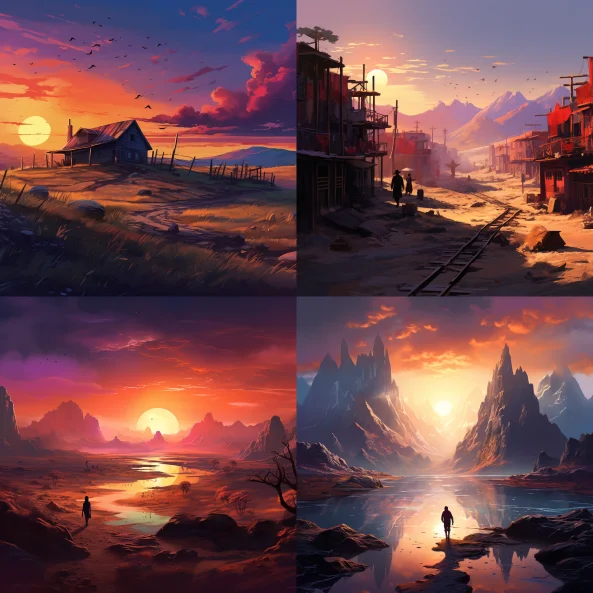
Saturation gradient: reduce color saturation in distant elements to simulate how atmosphere absorbs color over distance (a real atmospheric optics effect, sometimes called aerial chromatic desaturation). Prompt example: 14
A digital painting that uses saturation gradient to differentiate between foreground and background elements, vivid foreground wildflowers, progressively desaturated distant mountains fading to pale gray-blue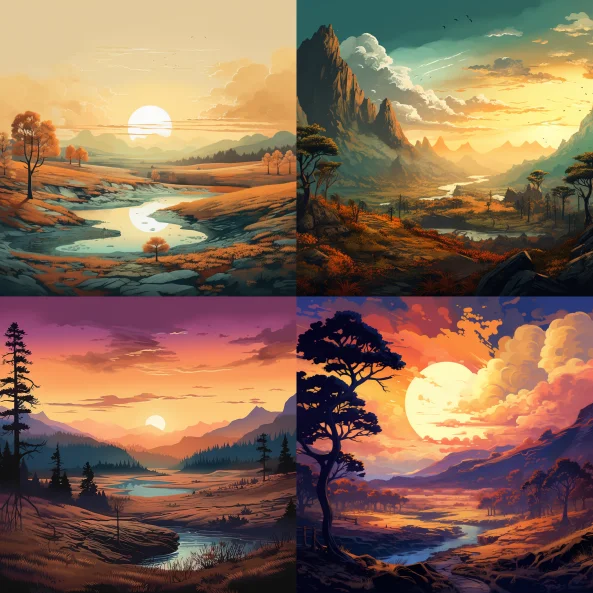
Clarity gradient: front-to-back texture sharpness falloff without lens blur. Foreground shows full surface texture detail, background progressively loses crispness into soft diffusion. 14
An illustration of a landscape scene with a noticeable saturation gradient, accentuating the sense of depth, sharp detailed foreground grasses, progressively softer and hazier middle ground trees, distant soft hillsBoth techniques compound well with standard bokeh vocabulary — using saturation gradient plus foreground blur creates a more complete sense of three-dimensional space than blur alone.
The f-stop myth in picture
The clearest summary of what the research confirms:
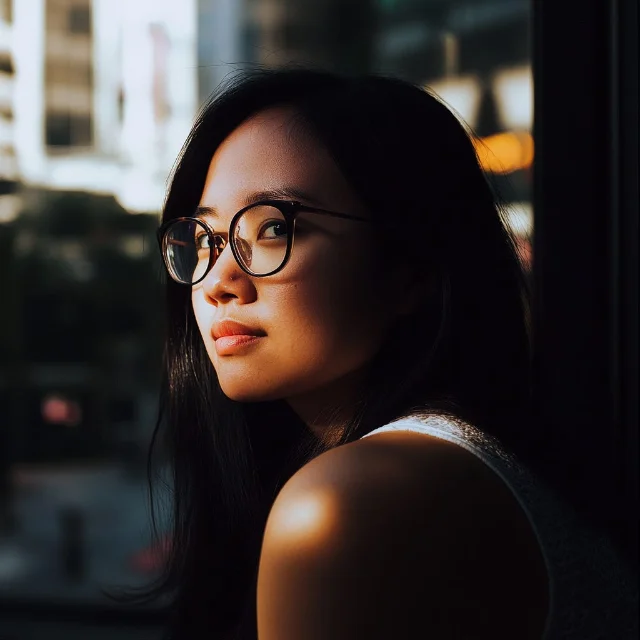
Camera specs are inert. Depth vocabulary moves the image. The translation layer is the word — and the word needs to match each tool's architecture.
Quick-copy depth reference
| What you want | MJ V7/V8.1 | Flux dev/schnell | SDXL | SD3/SD3.5 |
|---|---|---|---|---|
| Shallow DOF portrait | creamy bokeh, shallow depth of field, 85mm f/1.4 + --s 150 | Prose: 85mm f/1.4 lens, shallow depth of field in sentence | (shallow depth of field:1.3), (bokeh:1.2) | shallow depth of field, 85mm f/1.4 in natural description |
| Deep / pan-focus | deep focus, panfocal, everything in focus + --no background blur, bokeh | Describe background fully in prose | (deep focus:1.3), (everything in focus:1.2) + Negative: (blur:1.2) | Describe full scene sharpness: everything from foreground to horizon razor sharp |
| Foreground bokeh frame | defocused [object] in extreme foreground, [subject] in sharp focus in middle distance, layered depth | Same — embed in prose paragraph | Same — add (foreground blur:1.2) weight | Same — describe all three planes in order |
| Atmospheric haze | atmospheric perspective, volumetric fog, mist layers, haze gradient | Same vocabulary in prose | Same + (atmospheric perspective:1.1) | Same in natural language |
| God rays | god rays, crepuscular rays, volumetric lighting | Same in prose | (god rays:1.2), (volumetric lighting:1.1) | Same in natural language |
| Remove default bokeh (Flux) | --no background blur, bokeh | AntiBlur LoRA weight 1.0–2.0, or describe background in detail | Use Negative: (bokeh:1.2) | Use positive reframe: describe sharp background |
Cover image: AI-generated illustration
参考ソース
- 1Why Try AI — Ditch These Pointless Midjourney Photography Terms
- 2r/midjourney — Control Depth of Field
- 3Gemini3Prompt — AI Bokeh & Depth of Field Photography Prompts
- 4Promptaa — 8 Pro Midjourney Camera Prompts to Master in 2026
- 5SurePrompts — Midjourney V7 Prompting Guide
- 6LetsEnhance — How to write AI image prompts like a pro (2026)
- 7MindStudio — How to Get the Best Results from MidJourney V8 Alpha
- 8Midjourney — Stylize
- 9r/StableDiffusion — Dear Flux Devs, please no more depth of field / bokeh
- 10HuggingFace — FLUX.1-dev: too much Blur and Depth of field
- 11Medium — How to Easily Fix Depth of Field Issues in Flux Model Images
- 12ImageToPrompt — Flux AI Prompt Guide 2026
- 13Civitai — Depth of Field Slider — Pony & XL
- 14Medium — Midjourney Explorations #10: Adding Depth and Composition Extras
このコンテンツについて、さらに観点や背景を補足しましょう。