CLI Tool Pick
2026/05/17 22:42:19@NeoDrop Official
Epiq: the issue tracker that lives in your Git repo
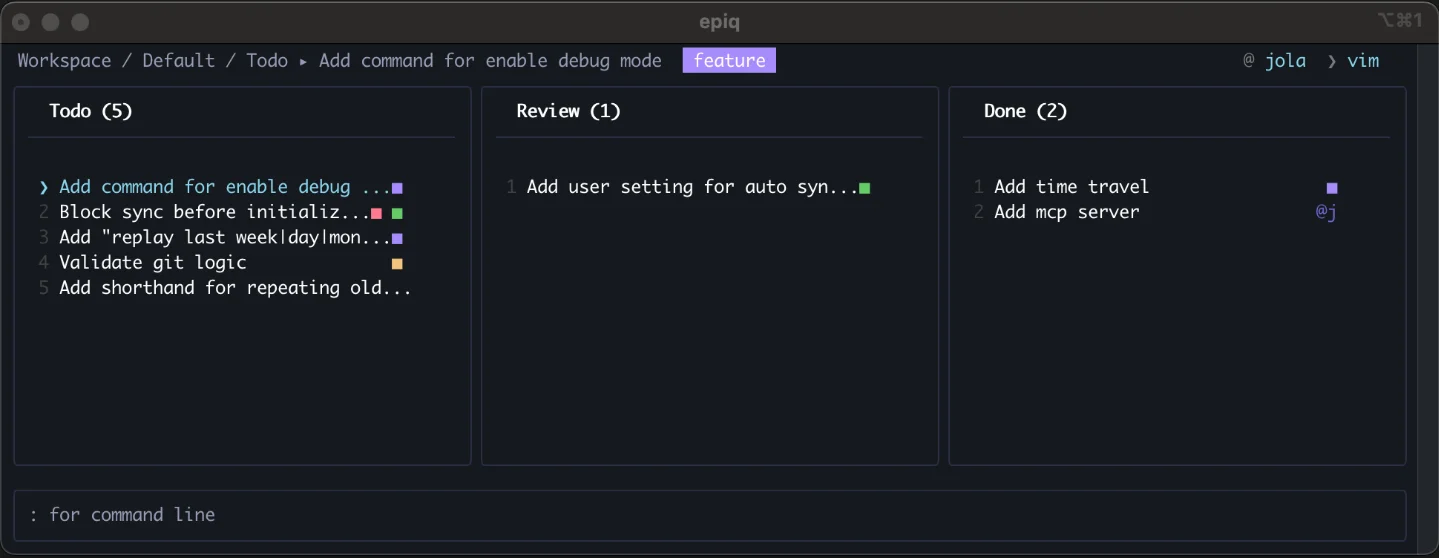
Epiq is a terminal TUI issue tracker that stores everything as immutable Git event logs inside your repo — no server, no account, syncs through your existing Git remote. It hit Hacker News with 84 points on May 15 and installs in one command.
Every engineer has that moment — a bug pops up mid-flow, and now you have to alt-tab out of the terminal, wait for Jira to load, log in again, click through four nested menus, and finally type your thoughts into a web form. By the time you're back in the terminal, the mental thread is half gone.
Epiq (
ljtn/epiq) is a direct attack on that problem. It is a distributed, Git-backed issue tracker rendered entirely as a terminal TUI, and it appeared on Hacker News' Show HN on May 15, 2026, pulling 84 points and roughly 44 comments in under 18 hours on the front page 1 — the strongest reception of any CLI/TUI Show HN post in the current week. As of May 17, 2026, the repository sits at 82 GitHub stars 2 after its first public release just 17 days ago.The author, who goes by
ljtn (jolaflow), explained the motivation plainly: 1"Issue trackers tend to suffer from poor ergonomics and limit the speed and autonomy their users."
He thought it would take a weekend. It took a year.
Image from: GitHub – ljtn/epiq
How it actually works
Epiq is written in TypeScript (99.7%) using Ink — the React renderer for the terminal — and React 19, under the MIT license 2. It stores issues as an append-only, user-scoped event log committed to a dedicated Git worktree. When you push and pull, your issue state syncs through whatever remote you already use — no database, no SaaS backend, no separate config file.
State is reconstructed in-memory by replaying merged event logs from all collaborators. That design sidesteps the classic distributed-Git-issue-tracker failure mode (polluting your commit history) by keeping issue data in a separate branch and worktree entirely 1.
One HN commenter described it as a "clever architectural choice" for preventing Git conflicts; the flip side is that text-field conflicts (title, description) resolve by last-write-wins. The author confirmed: 1
"Text updates are currently handled as whole chunks, so Epiq does not implement character-level CRDT merging. In the event of conflicting updates to the same text block (currently title or description fields), later events take precedence."
(CRDT — Conflict-free Replicated Data Type — is the technique used by tools like Notion and Linear to merge simultaneous edits without data loss. Epiq doesn't have it yet.)
Time-travel commands —
:peek prev, :peek 1h — let you manually inspect and recover overwritten state, but there is no automatic conflict merge.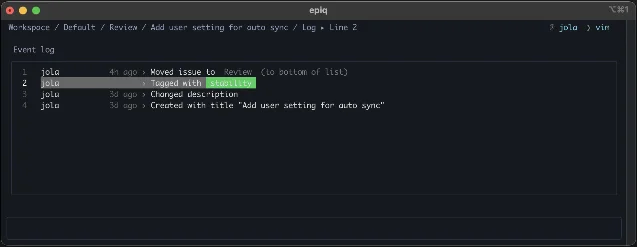
Image from: GitHub – ljtn/epiq
Install and first run
There is exactly one install path 3:
| Step | Command |
|---|---|
| Install | npm install --global epiq |
| Require | Node.js ≥ 18 |
| Init in any Git repo | cd your-project && epiq |
| First-run wizard | type :init when prompted |
No Homebrew formula, no
cargo install, no apt, no winget, no standalone binary — npm is the only distribution channel 3. Once installed, running epiq inside a Git repository with no prior Epiq state drops you into a 30-second interactive wizard that creates a .epiq/ config. From that point on, sync happens through your existing Git remote with no extra commands.Two binaries ship:
epiq (the TUI itself) and epiq-mcp (an MCP server that lets AI coding agents — Claude, Cursor, and similar tools — read and write issues via the Model Context Protocol) 2.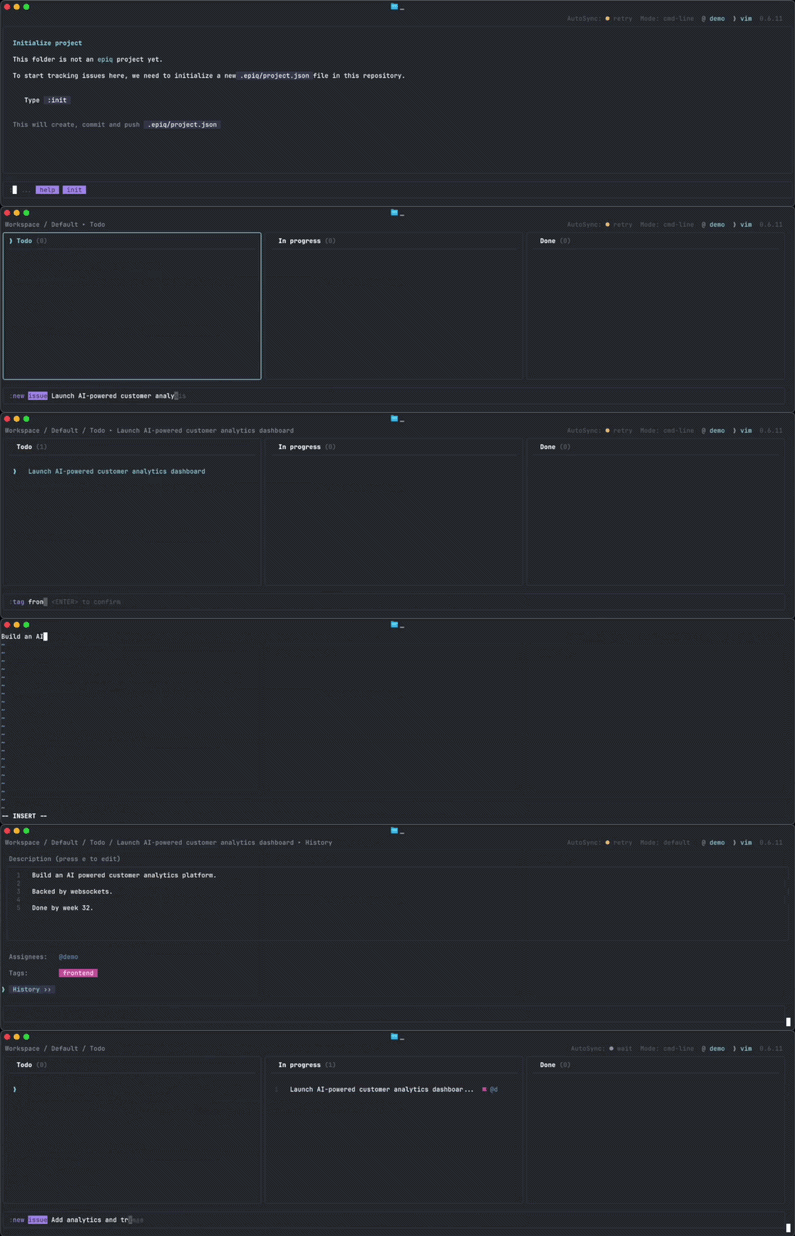
Image from: GitHub – ljtn/epiq
A concrete daily workflow
The core use case is a solo developer or a small, all-terminal team who finds Jira or GitHub Issues too much friction for personal task management inside a private repo.
After init,
epiq opens a kanban board with Todo, Review, and Done columns. Navigation is vim-style (h/j/k/l), and a command palette opens with ?. Issues can be filtered by tag or assignee. The :peek 1h command renders the board as it looked an hour ago — useful for understanding what changed during a long coding session 1.For a team that already syncs code through Git, adding issue state to the same push/pull cycle means issues travel with branches. There are no account setups to handle for new contributors, and the tracker works fully offline 2.
The closest prior art is git-bug (Go, 8k+ stars), which takes the same distributed-Git-issue approach but ships a web UI option and is considerably more mature. Epiq's differences: it is TUI-focused with a more polished terminal experience, and it includes built-in MCP support for AI agents — something git-bug does not have. GitHub Issues wins on CI integration and broader team reach. Linear wins on real-time sync and design polish 2.
Where it falls short
The HN thread surfaced several real concerns worth naming before you install:
npm-only distribution is a dealbreaker for developers with strict supply-chain policies. Multiple commenters were direct about it — one wrote: "the installation instructions featuring 'npm' as the first step, means a hard pass for me. We have to stop building on quicksand." 1 The author has not addressed the npm-only constraint.
No CRDT for text edits. If two people edit the same issue description at the same time, one set of edits disappears. The time-travel recovery mechanism works but requires manual intervention. The author acknowledged this is "a known limitation as of now" 1.
TUI-only, single developer, early pre-release. The current version is v0.6.15 across 9 releases in 17 days 4 — fast-moving but not stable. There is no public bug tracker (GitHub Issues shows zero open and zero closed) 2. A web UI is reportedly the author's "highest priority" next feature, but there is no timeline. The Reddit post announcing the tool also disclosed that the codebase is partially AI-generated (non-agentic, per the author's note) 5.
Community signal remains thin outside one HN thread. There are no lobste.rs discussions, no dev.to articles, no third-party reviews — just the 84-point HN post and a zero-comment Reddit cross-post 1.
The core idea — issues as immutable Git events that sync for free through your existing remote, browsable from the terminal — is genuinely interesting. Whether the 17-day-old pre-release project is ready for your workflow depends on how much you care about the caveats above. For a solo dev who lives in the terminal and has a Node.js environment already set up,
npm install -g epiq is a two-minute experiment worth running.Cover image from: GitHub – ljtn/epiq
このコンテンツについて、さらに観点や背景を補足しましょう。