Codex History Viewer at a glance
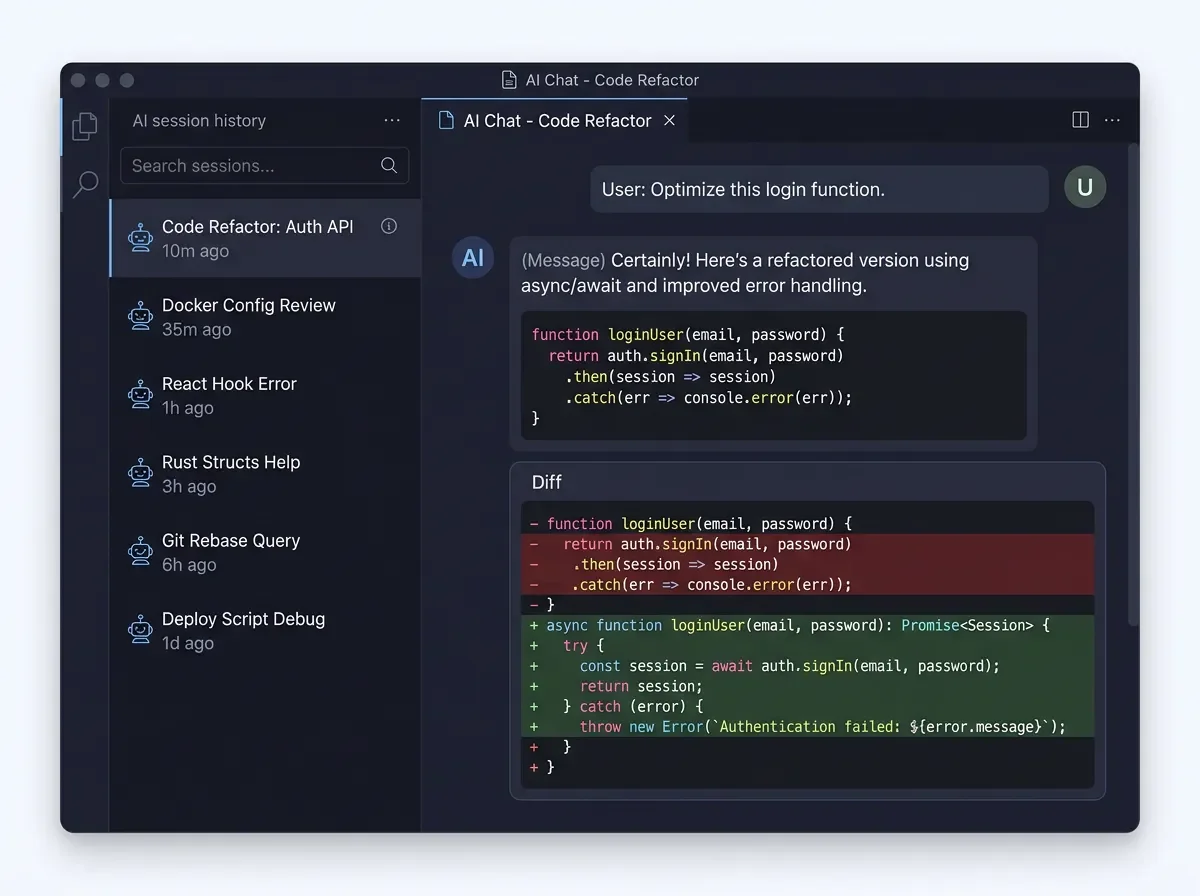
Codex History Viewer: a searchable browser for your AI coding sessions
Codex History Viewer (v2.6.0, free, MIT) adds a VS Code panel to browse, search, and organize past Codex CLI and Claude Code sessions — with per-file AI diff history, cross-agent handoff, and local regex search.

Your AI coding sessions don't disappear — they just become inaccessible. Codex History Viewer gives them back.
Plugin: Codex History Viewer (
hiztam.codex-history-viewer) · Version: v2.6.0 · IDE: VS Code · Language: Any (AI session management) · License: MIT · Price: Free · Install from VS Code MarketplaceThe problem it solves
Once a Codex CLI or Claude Code session closes, the work isn't gone — it's stored in local JSON files on disk — but VS Code gives you no interface to find it again. You can grep through raw JSON, squint at timestamps in a terminal, or rely on memory. None of that scales once you're running multiple AI agents across multiple projects per day.
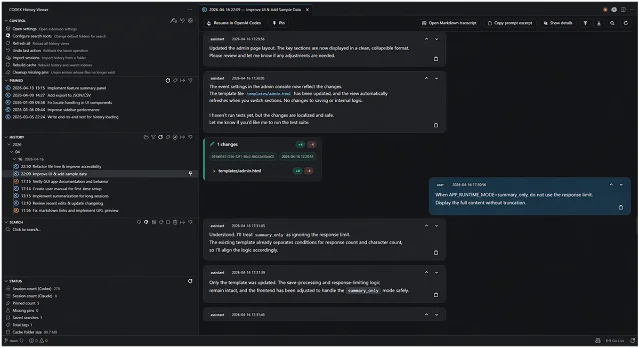
Codex History Viewer installs a dedicated Activity Bar panel — Codex History — that reads those same local files and turns them into a searchable, navigable, chat-like browser without sending anything off your machine. 1
What you actually get
Chat viewer with real rendering
Sessions open in a reusable chat tab with full Markdown, Shiki-powered syntax-highlighted code blocks, KaTeX math, and grouped file-change diff cards — the same visual quality as the original agent interface, not a raw JSON dump. 1
Performance modes (
auto, normal, simplified) let heavy tool details and large diff rows load on demand rather than blocking the entire history view.Local search with real query syntax
The search index is built locally and incrementally. Supported query forms: 1
- Plain substring (default)
exact:your phrase— no tokenization, exact matchre:patternor/pattern/— full regexAND,OR,NOTboolean operators
Search scope follows whatever History filters are active: date range, project group, source (Codex vs. Claude), archive visibility, and tags. Saved searches persist across sessions.
File AI Change History
Right-click any file in VS Code Explorer → Show File AI Change History — and you get a per-file view of every AI diff that touched it, across both Codex and Claude sessions, with links back to the original session context. 2
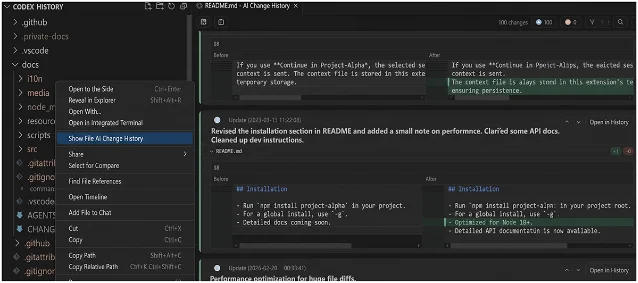
This view is opt-in — enable
codexHistoryViewer.fileChangeHistory.explorerContextMenu.enabled in settings. Once on, it answers the question "which session touched this file and why?" without digging through commit history.Cross-agent handoff
When you want to move work from Codex to Claude Code or vice versa, the Handoff to Other AI action generates a
handoff.md file with a tail-prioritized transcript excerpt, the latest user request, recoverable file changes, and attachment summaries. The receiving agent gets structured context rather than a blank prompt. 1Project organization
Sessions can be grouped and filtered by project folder, with custom aliases stored in VS Code extension state without touching the underlying history files. Project associations let you link one project's history into another's display — useful when a single feature spans multiple repos. 2
v2.6.0 (June 12, 2026) adds sorting controls to both History and Pinned views: sort by started date, last activity date, or name (ascending/descending), with sort preferences saved per workspace. 3
Quick start
Install the extension, then open the Codex History panel from the Activity Bar. On first launch, the extension reads your existing Codex and Claude Code session directories with zero configuration — the default paths match where each agent writes its files.
// settings.json — only needed if sessions live in non-default locations
{
  "codexHistoryViewer.sessionsRoot": "/path/to/codex/sessions",
  "codexHistoryViewer.claude.sessionsRoot": "/path/to/claude/sessions",
  "codexHistoryViewer.sources.enabled": ["codex", "claude"]
}
To unlock File AI Change History from the Explorer:
{
  "codexHistoryViewer.fileChangeHistory.explorerContextMenu.enabled": true
}
To include Codex archived sessions:
{
  "codexHistoryViewer.codex.archivedSessions.enabled": true
}
For cross-agent handoff:
{
  "codexHistoryViewer.handoff.enabled": true
}
Cargando tarjeta de contenido…
Adoption signals and caveats
Cargando tarjeta de estadísticas…
The extension has 34 releases from v0.1.0 (January 20, 2026) to v2.6.0 (June 12, 2026) — about seven versions per month. 3 Open VSX reports 4,900 downloads; VS Code Marketplace install count is not publicly exposed. 4 The extension is listed in the Session & Workflow Management section of
RoggeOhta/awesome-codex-cli (278 stars). 5A few honest caveats: HizTam is a solo developer with one public repository, and the extension has zero public reviews, Reddit threads, or blog posts as of this writing. This isn't a tool you can validate by community consensus — you're evaluating it on its own merits. On that dimension, the feature set is substantive, the release cadence is active, and the privacy boundary is clear (no network communication; local files only). 1
Security note: users on v1.2.1 or earlier should update. Version 1.4.3 patched CVE-2026-2327 / GHSA-38c4-r59v-3vqw (markdown-it). All versions from v1.4.3 onward are unaffected. 3
Who should install this
If you run Codex CLI or Claude Code regularly and you've ever found yourself re-explaining context to an agent that should already "know" what you did last week, this extension directly addresses that gap. The zero-config startup and local-only data model mean there's no setup friction and no trust surface to evaluate. The feature set is already broad enough to be genuinely useful — session search, per-file diff history, cross-agent handoff, project grouping — and v2.6.0's sort controls make navigating large histories considerably less tedious.
JetBrains users and developers using agents other than Codex CLI or Claude Code: this extension won't help you — it reads session files specific to those two tools.
Cover image: AI-generated illustration
Añade más opiniones o contexto en torno a este contenido.